
Admin Task Automation Roadmap for Startups in 2026
Published: June 27, 2026 · 11–12 min read
TL;DR:
- An admin task automation roadmap helps startups systematically eliminate repetitive tasks to increase productivity. It involves auditing processes, selecting tools, building automations, and measuring results, enabling teams to save time and focus on growth. Starting with no-code tools and clear ownership ensures scalable, effective automation tailored to evolving business needs.
An admin task automation roadmap for startups is a structured, phase-by-phase plan that helps founders systematically eliminate repetitive administrative work so their teams can focus on growth. Think of it as your operational blueprint: you audit what you do manually, rank tasks by impact, pick the right tools, build the automations, and measure results. Startups that follow this approach can reclaim 20–40 hours of manual labor per week at a typical monthly tool cost of $100–$300. That time savings compounds fast. Tools like Zapier, Make, Notion, and AI agents give even small teams the ability to run like a much larger operation.
What is an admin task automation roadmap for startups?
An admin task automation roadmap is the industry term for what many founders call a "startup automation plan." It is a prioritized sequence of decisions: which workflows to automate first, which tools to use, and how to measure whether the automation is working. Without this structure, most startups automate randomly and end up with a patchwork of disconnected tools that create more confusion than they solve.
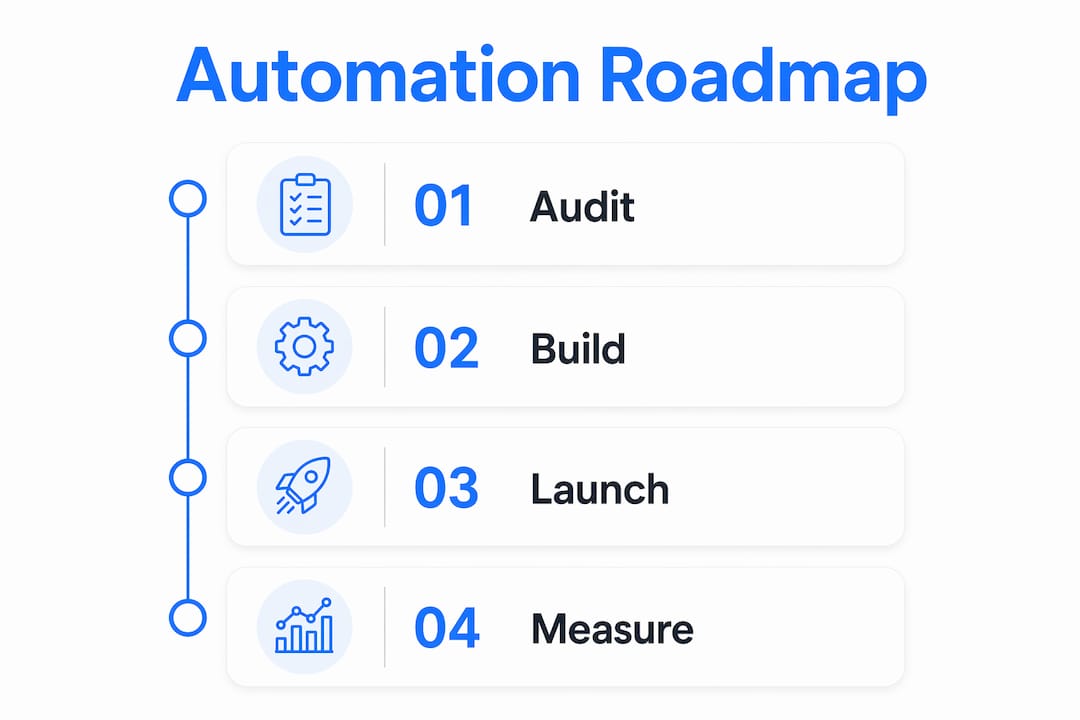
The roadmap covers four core phases: audit, build, launch, and measure. Each phase has a defined output. The audit produces a ranked list of tasks. The build phase produces working automations. The launch phase produces an onboarded team. The measure phase produces data that tells you what to automate next. This cycle repeats as your startup grows.
Startups benefit from this approach because their time is disproportionately valuable. A founder spending three hours a week manually updating a CRM is not just losing three hours. That person is losing the focus and energy that should go toward product, sales, or fundraising. Automation strategy for startups is not about replacing people. It is about redirecting them.
What prerequisites do you need before automating admin tasks?
The single biggest mistake startups make is automating before they standardize. Documenting and manually executing processes for several weeks before building any automation is the foundation of a working roadmap. If the process is inconsistent in human hands, automation will scale that inconsistency.
Start with a one-week manual audit. For every repetitive admin task your team performs, log the following:
- Task name and description
- How often it occurs (daily, weekly, monthly)
- Time spent per occurrence
- Who currently owns it
- Tools involved (email, spreadsheet, CRM, etc.)
- Whether the steps are consistent each time
After one week, you will have a clear picture of where your team's time actually goes. Most founders are surprised. The tasks that feel small, like copying data between tools or sending follow-up emails, often consume the most cumulative time.
Prioritize tasks using two criteria: hours spent per week and process complexity. High-hours, low-complexity tasks are your first targets. They deliver the fastest return and carry the least risk of breaking something important.
Pro Tip: Assign one accountable owner to each automation initiative before you build anything. That person documents the process, tests the automation, and owns ongoing maintenance. Without a named owner, automations break silently and nobody fixes them.
No-code tools like Zapier and Make are the right starting point for most startups. They require no engineering resources and connect hundreds of apps out of the box. Starting here keeps your team moving without waiting on a developer.
How do you prioritize admin tasks to maximize automation ROI?
Score every task on your audit list using two dimensions: weekly hours consumed and implementation complexity. A task that takes five hours per week and requires only a simple Zapier trigger scores higher than a task that takes one hour and needs custom code. High-ROI targets include CRM updates, cold outreach personalization, and cross-tool data syncing.
Here is a comparison of common admin tasks by complexity and time impact:
| Admin Task | Weekly Time Cost | Complexity | Automation Priority |
|---|---|---|---|
| CRM data entry | High | Low | First |
| Email follow-up sequences | High | Low | First |
| Cross-tool data syncing | High | Low | First |
| Invoice generation | Medium | Medium | Second |
| Meeting scheduling | Medium | Low | First |
| Multi-step approval workflows | Low | High | Third |
| Custom reporting | Medium | High | Third |
Focus your first implementation phase on the top one to three tasks only. Trying to automate five things at once splits your attention and increases the chance that none of them get done properly. Picking fewer tasks and executing them well builds momentum and confidence across your team.
Key signals that a task is ready to automate:
- The steps are identical every time
- The task involves moving data between two or more tools
- The task requires no judgment or creative decision-making
- The task is performed at least weekly
Which tools work best for startup admin workflow automation in 2026?
The right tool depends on your team's technical comfort and the type of workflow you are automating. Trigger-based tools like Zapier and Make work well for structured, predictable inputs. AI-agent tools handle messy, unstructured inputs that fixed triggers cannot process. That distinction matters when you are choosing where to start.
| Tool | Type | Best For | Approx. Monthly Cost |
|---|---|---|---|
| Zapier | No-code trigger-based | App-to-app syncing | $20–$100 |
| Make | No-code trigger-based | Multi-step workflows | $10–$100 |
| n8n | Low-code | Custom, self-hosted workflows | Free to $50 |
| Airtable | No-code database | Structured data and tracking | $20–$100 |
| Notion | No-code workspace | Documentation and task tracking | $10–$20 |
| LikeClaw | AI agent | Unstructured task automation | Varies |
Most early-stage startups spend between $100 and $300 per month on their initial automation stack. That budget covers a no-code workflow tool, a database or workspace tool, and possibly one AI agent. The return on that spend, measured in hours reclaimed weekly, makes it one of the highest-ROI investments a startup can make.
AI-agent workflows use natural language and context interpretation instead of rigid triggers. This means they can handle inputs like forwarded emails, unformatted spreadsheets, or customer messages without requiring you to pre-define every possible variation. Trigger-based tools break when inputs change. AI agents adapt.
Pro Tip: Start with pre-built templates inside Zapier or Make before building anything from scratch. Templates for CRM syncing, email follow-up, and lead routing already exist and take minutes to configure. Avoiding over-engineering early is one of the most common pieces of advice from founders who have done this before.
What are the phases for implementing your automation roadmap?
A working admin task automation roadmap follows four defined phases. Each phase has a clear time boundary and a deliverable.

Phase 1: Manual audit (1 week). Log every repetitive admin task using the criteria from the prerequisites section. Do not skip this. Standardizing before you automate prevents you from scaling a broken process. Measure your baseline time on each task so you have a number to compare against after launch.
Phase 2: Build sprint (4 weeks per task). Pick your top one to three tasks. Assign one owner per task. Build the automation using your chosen tool, test it with real data, and document how it works. A 4-week build sprint per task gives you enough time to build, test, and fix issues without dragging the project out.
Phase 3: Launch walkthrough (10 minutes). On the day you go live, run a short team walkthrough. A 10-minute onboarding session on launch day reduces team resistance and increases adoption. Show the team what changed, what they no longer need to do manually, and who to contact if something breaks.
Phase 4: 60-day review. At the 60-day mark, measure actual time saved against your baseline. Reviewing impact at 60 days gives you enough data to decide whether to expand, adjust, or replace the automation.
Common pitfalls to avoid:
- Building automations before the process is fully documented
- Assigning no owner, so nobody maintains the automation when it breaks
- Automating too many tasks at once and losing focus
- Skipping the team walkthrough and facing silent non-adoption
- Over-engineering the first automation with complex logic before proving the concept
How do you scale automation and improve workflows over time?
Scaling your admin workflow automation starts with the 60-day review. Compare time saved, error rates, and team feedback against your baseline measurements. If the automation is working, expand it. If it is not, diagnose before building more.
After your first round of quick wins, move toward more complex process automations. Multi-step approval workflows, automated reporting, and customer communication sequences are natural next targets. These require more planning but deliver compounding returns as your team grows.
The shift from task-based automation to AI-agent systems is the next evolution. Automation works best as an evolving intelligent system where AI acts as a copilot, not just a data router. This means your automations get smarter over time, handling edge cases and unstructured inputs that would have broken a simple trigger-based workflow.
Ongoing maintenance is non-negotiable. Apps update their APIs. Workflows break. Data formats change. Build a monthly review into your calendar to check that active automations are still running correctly.
Key practices for scaling effectively:
- Review automation performance every 60 days with the assigned owner
- Document every automation in a shared workspace like Notion or Airtable
- Train new team members on existing automations during onboarding
- Expand to a new task only after the previous one is stable
Pro Tip: Run a 10-minute team training walkthrough every time you launch a new automation. Teams that understand why an automation exists adopt it faster and report issues sooner.
Key Takeaways
A startup that audits first, builds incrementally, and assigns clear ownership will outperform one that automates randomly, regardless of the tools it uses.
| Point | Details |
|---|---|
| Audit before you build | Document and manually run every process for one week before automating anything. |
| Prioritize by hours and complexity | Target high-hours, low-complexity tasks like CRM updates and email follow-ups first. |
| Start with no-code tools | Zapier and Make cover most early-stage needs at $100–$300 per month total. |
| Assign one owner per automation | Single ownership prevents maintenance failures and keeps automations running. |
| Review at 60 days | Measure time saved against your baseline and use that data to decide what to automate next. |
What I have learned about startup automation after watching founders get it wrong
Most founders I have worked with approach automation the same way: they see a tool, they get excited, and they build something before they have documented the underlying process. The automation launches, something breaks within two weeks, nobody knows who owns it, and the team quietly goes back to doing it manually. The tool gets blamed. The real problem was the process.
The counterintuitive truth is that the most valuable part of building an automation roadmap is the audit, not the automation itself. When you spend one week logging every repetitive task, you often discover that some of those tasks should not exist at all. You eliminate them before you ever touch a tool.
I have also seen founders jump straight to AI agents because they sound more impressive than Zapier. That is almost always the wrong move at the early stage. Starting with templates and no-code tools before moving to complex AI solutions is not a compromise. It is the faster path to working automations. Save the AI agents for the tasks where trigger-based tools genuinely cannot handle the input variation.
The last thing I will say: automation is not a one-time project. It is a system you maintain and improve. The startups that treat it as a living part of their operations, with regular reviews and clear ownership, are the ones that actually get the compounding time savings. The ones that treat it as a setup-and-forget project end up rebuilding from scratch every year.
— Tyler
How Interval-ai helps startups automate their admin workflows
Startups that have built their automation roadmap often find that one of the most time-consuming admin tasks is following up on overdue payments. That is exactly where Interval-ai fits.

Interval-ai uses AI-driven outreach to manage collections across multiple communication channels, tailoring each message to match your brand's tone and your customer's payment history. Clients report cutting days to payment by over 30 days and saving thousands in payroll costs, without adding staff. For early-stage and growth-stage startups that have already automated their internal workflows, Interval-ai handles the external financial follow-up that would otherwise fall back on your team. Visit Interval-ai to see how it fits into your automation stack.
FAQ
What is an admin task automation roadmap?
An admin task automation roadmap is a structured plan that guides startups through auditing, prioritizing, building, and measuring automated workflows. It ensures you automate the right tasks in the right order for maximum efficiency.
How long does it take to build a startup automation roadmap?
The recommended timeline is one week for the manual audit, four weeks per task for the build sprint, and a 60-day review to measure impact. Most startups complete their first working automation within six weeks.
What admin tasks should a startup automate first?
Start with high-hours, low-complexity tasks like CRM data entry, email follow-up sequences, and cross-tool data syncing. These deliver the fastest return and carry the lowest implementation risk.
How much does startup admin automation cost?
Most startups spend $100–$300 per month on their initial automation tools, covering no-code platforms like Zapier or Make plus a workspace tool like Notion or Airtable.
When should a startup switch from trigger-based tools to AI agents?
Switch to AI agents when your workflows involve unstructured or variable inputs that fixed triggers cannot handle reliably. Start with no-code trigger-based tools and move to AI agents only after proving the concept works.
