
Automate Billing and Invoicing for Your Startup
Published: June 27, 2026 · 9–10 min read
TL;DR:
- Automated billing reduces days-sales-outstanding from 42 to 27 days, improving cash flow for startups.
- Using affordable tools like QuickBooks, Stripe, and Zapier, startups can build effective, scalable workflows with minimal cost.
Automated billing and invoicing is defined as the use of software and workflow tools to generate, send, track, and reconcile invoices without manual intervention. For startups, this shift is not about convenience. It directly controls cash flow. Automating invoicing and reminders reduces average days-sales-outstanding from 42 to 27 days for North American startups. That 15-day improvement means money arrives faster, payroll stress drops, and you spend less time chasing clients. Tools like QuickBooks, Xero, Stripe, and workflow engines like Zapier and Make form the backbone of any practical automation stack for a growing startup.
What tools do you need to automate billing and invoicing for a startup?
The right tool stack for billing automation for startups costs far less than most founders expect. A complete automated workflow typically runs $50–$150 per month and covers five core stages: time tracking, invoice creation, scheduled delivery, reminder sequences, and payment reconciliation. That price range puts professional-grade automation within reach for even a pre-revenue startup.
Here is what a practical stack looks like:
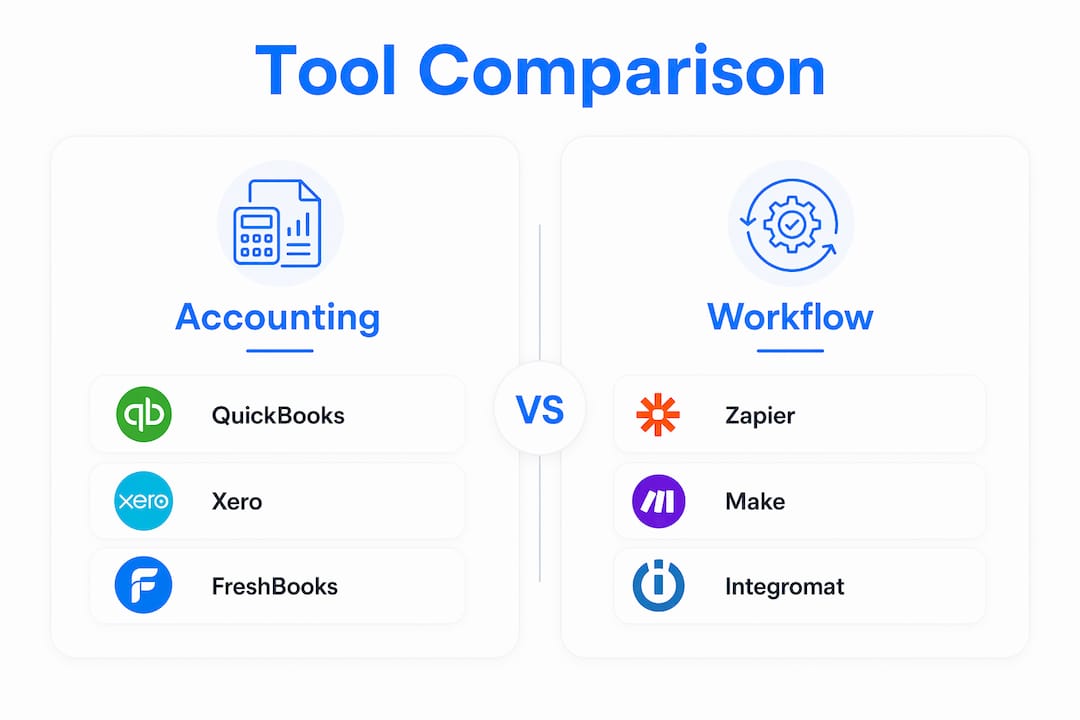
- Accounting software: QuickBooks Online or Xero handle invoice creation, tax calculations, and financial reporting. Both integrate with most workflow tools.
- Payment processor: Stripe is the standard for startups. It supports subscriptions, one-time charges, and usage-based billing with strong API access.
- Workflow engine: Zapier works for simple trigger-based automations. Make (formerly Integromat) handles more complex multi-step flows. n8n is the open-source option for teams with a developer on staff.
- Time and project tracking: Tools like Harvest or Toggl Track connect directly to QuickBooks or Xero to trigger invoices when a project milestone is reached.
The table below compares the most common options by function, pricing, and how easily they connect to each other.
| Tool | Primary function | Monthly cost | Integration ease |
|---|---|---|---|
| QuickBooks Online | Accounting and invoicing | $30–$90 | High |
| Xero | Accounting and invoicing | $15–$78 | High |
| Stripe | Payment processing | % per transaction | High |
| Zapier | Workflow automation | $0–$69 | High |
| Make | Workflow automation | $0–$29 | Medium |
| n8n | Workflow automation | Free (self-hosted) | Medium |
| Harvest | Time tracking | $0–$12/seat | High |

Pro Tip: Start with the tools you already use. If you are on QuickBooks and Stripe, connect them with a Zapier workflow before buying anything new. You can cover 80% of your billing needs with tools already in your stack.
How do you set up an automated invoicing workflow step by step?
Building your automated billing system follows a clear sequence. Each step builds on the last, so skipping ahead creates gaps that cause errors later.
-
Define your billing triggers. A trigger is the event that starts the invoice process. Common triggers include a completed project milestone, a subscription renewal date, or a time-tracking threshold reached in Harvest. Map these out before touching any software.
-
Connect your tools. Link your project management or time-tracking tool to your accounting software using Zapier, Make, or n8n. For example, when a Harvest project is marked complete, a Zap fires and creates a draft invoice in QuickBooks with the correct line items and client details.
-
Set up automatic invoice creation. Your workflow engine pulls client data, service descriptions, and amounts from your source system and populates the invoice template. Fully automated invoicing includes invoice generation, PDF creation, and scheduled sending all within a single workflow.
-
Schedule delivery. Send the invoice immediately on the trigger date or schedule it for a specific time. Sending invoices on Monday mornings consistently produces faster payment than sending on Fridays.
-
Build your reminder sequence. A proven sequence runs at four points: the day the invoice is sent (day 0), three days before the due date, on the due date itself, and then at three to fourteen days overdue. Each message should be professional and brief.
-
Add a human review checkpoint. Human-in-the-loop review triggers at the invoice draft stage build confidence without excessive time loss. For high-value invoices above a set threshold, route the draft to your inbox for approval before it sends.
-
Automate payment reconciliation. When Stripe records a payment, your workflow marks the invoice as paid in QuickBooks or Xero and logs the transaction. This eliminates manual matching and keeps your books accurate in real time.
Pro Tip: Always use idempotency keys in your API calls to Stripe or your accounting software. Idempotency keys prevent duplicate invoices during retries caused by network errors. Without them, a single technical glitch can charge a client twice and damage the relationship.
What are the most common mistakes in invoicing automation?
Most startup billing automation problems come from a small set of predictable errors. Knowing them in advance saves you weeks of troubleshooting.
- Buying enterprise tools too early. Startups achieve the best ROI by building automation workflows between existing project management and accounting tools before investing in complex enterprise platforms. A $500-per-month ERP system is not the right first step for a 10-person startup.
- Skipping idempotency keys. Any workflow that calls a payment API without idempotency protection is a duplicate charge waiting to happen. This is not optional.
- Ignoring race conditions. Race conditions during concurrent billing require serialization per customer to avoid calculation errors. If two events trigger billing for the same customer at the same time, a simple Zapier workflow may process both and overcharge. Usage-based SaaS billing is especially vulnerable.
- Hard-coding pricing logic in your product. When your pricing changes, a developer has to touch the codebase. That creates a bottleneck and technical debt. Keep billing rules in your accounting or billing tool, not in your app.
- Automating everything at once. Starting with just the reminder sequence is enough to see immediate cash flow improvement. Expand from there.
"Silence reads as permission to wait. A consistent, automated follow-up sequence removes that ambiguity and gets invoices paid faster."
How do you scale billing automation as your startup grows?
Early-stage automation handles simple, fixed-price invoices well. As your startup adds subscription tiers, usage-based pricing, or milestone billing, the system needs to grow with you.
Centralize your billing logic
Billing logic should live outside your product code to avoid developer bottlenecks when changing pricing plans. Centralizing billing rules in a dedicated platform like Stripe Billing or a purpose-built revenue automation tool means your sales or operations team can update pricing without filing a developer ticket.
Handle hybrid billing models
Many startups eventually combine billing types. A client might pay a monthly retainer plus usage fees above a certain threshold. Your workflow engine needs to handle both streams and merge them into a single invoice. Make and n8n both support conditional logic that Zapier's basic plans do not.
Build audit trails from day one
Billing automation focused on revenue control connects contract terms directly to service delivery, eliminating manual interpretation errors. Every automated invoice should log the trigger event, the data used, and the send timestamp. This protects you in disputes and keeps you ready for financial audits.
Use AI-driven platforms for complex billing
At scale, AI-driven platforms add anomaly detection, contract-to-cash cycle management, and predictive cash flow reporting. These tools flag unusual billing patterns before they become problems. They also handle hybrid, usage-based, and milestone billing in a single system, which reduces the number of tools you need to manage.
Pro Tip: Serialize billing operations per customer. If your system processes multiple billing events for the same account simultaneously, run them in sequence rather than in parallel. This prevents calculation errors that are extremely difficult to trace after the fact.
The table below shows how billing complexity maps to the right tool tier.
| Growth stage | Billing type | Recommended tools |
|---|---|---|
| Pre-revenue / early | Fixed-price invoices | QuickBooks + Zapier + Stripe |
| Growth | Subscriptions + milestones | Xero + Make + Stripe Billing |
| Scale | Usage-based + hybrid | n8n + dedicated revenue platform |
| Enterprise | Multi-product + compliance | Purpose-built billing infrastructure |
Key takeaways
Automating your startup's billing process reduces days-sales-outstanding, saves 5–13 hours of admin work weekly, and gives you consistent, accurate revenue control from day one.
| Point | Details |
|---|---|
| Start with existing tools | Connect QuickBooks or Xero to Stripe via Zapier before buying new software. |
| Use a four-step reminder sequence | Send reminders at day 0, three days before due, on the due date, and 3–14 days overdue. |
| Always use idempotency keys | They prevent duplicate charges during API retries and protect client relationships. |
| Keep billing logic external | Store pricing rules in your billing tool, not your product code, to avoid developer bottlenecks. |
| Scale gradually | Start with reminders, then add invoice creation, then reconciliation as confidence grows. |
Why I think most startups automate billing in the wrong order
I have watched founders spend weeks configuring complex invoice generation workflows while still manually sending payment reminders in Gmail. That is the wrong priority. The reminder sequence is where cash flow actually breaks down. A client who received an invoice three weeks ago and heard nothing since has mentally filed it away. Silence reads as permission to wait.
The highest-ROI first step is always automating follow-up. Set up a four-step reminder sequence in Zapier or Make connected to your QuickBooks or Xero account. Do that before you touch invoice generation automation. You will see faster payments within the first billing cycle.
The second mistake I see is founders treating billing automation as a technical project instead of a revenue control project. Billing automation is about revenue control rather than just speeding up invoicing. When your contract terms automatically translate into invoice line items without human interpretation, you eliminate a whole category of billing disputes. That accuracy compounds over time.
My honest recommendation: spend your first month automating reminders and reconciliation. Spend your second month on invoice generation. Only after those two stages are stable should you consider more advanced platforms. The staged approach costs less, breaks less, and builds your team's confidence in the system.
— Tyler
How Interval-ai helps startups take billing automation further
Once your invoicing workflow is running, the next challenge is overdue payments. That is where Interval-ai comes in. Interval-ai uses AI-driven outreach to manage collections in a way that matches your brand's tone and your clients' payment history.

Unlike traditional collection agencies, Interval-ai tailors every communication based on historical payment data. The system manages follow-up across multiple channels automatically, without adding headcount. Clients report reducing days to payment by over 30 days and saving thousands in payroll costs. If your automated invoicing workflow is the front end of your billing process, Interval-ai handles the back end. Explore Interval-ai to see how it fits your current stack.
FAQ
What is the fastest way to automate invoicing for a startup?
Connect your existing accounting software (QuickBooks or Xero) to Stripe using Zapier, then set a trigger to generate and send invoices automatically when a project is marked complete or a billing date arrives. This setup takes less than a day and requires no custom code.
How much does billing automation cost for a small startup?
A complete automated billing workflow typically costs $50–$150 per month, covering accounting software, a workflow engine, and a payment processor. Most startups can start at the lower end using free tiers of Zapier and Xero.
What is an idempotency key and why does it matter?
An idempotency key is a unique identifier attached to an API request that prevents the same action from being processed twice. In billing, it stops a network retry from charging a client a second time for the same invoice.
When should a startup move beyond Zapier for billing automation?
Move beyond Zapier when you need conditional logic for hybrid billing, serialized processing for concurrent transactions, or usage-based billing calculations. Make and n8n both handle these scenarios better than Zapier's standard plans.
How does automated invoicing improve cash flow?
Automated invoicing with a consistent reminder sequence reduces average days-sales-outstanding from 42 to 27 days. Faster invoice delivery and systematic follow-up remove the gaps that cause late payments.
