
How Automated Billing Improves Cash Flow: A Practical Guide
Published: August 8, 2026 · 11–12 min read
TL;DR:
- Automated billing accelerates cash flow by sending invoices instantly upon billing events and automating follow-ups.
- Implementing these systems reduces days-sales-outstanding and improves recovery rates, enhancing liquidity and operational efficiency.
Automated billing improves cash flow by eliminating the delays that keep money sitting in your AR ledger. When invoices go out the moment a billing event occurs, follow-ups run on a consistent schedule, and payments reconcile automatically, your Days Sales Outstanding (DSO) drops and your cash position becomes predictable. The core mechanisms are straightforward:
- Real-time invoicing: Invoices generate and deliver the instant a service is completed or a billing trigger fires, not at the end of a batch cycle.
- Automated outreach: Email, SMS, and voice follow-ups run on rule-based cadences without anyone manually tracking who owes what.
- Self-service payments: Customers pay through a portal with saved payment methods, removing friction that causes delays.
- Automated cash application: Payments match to open invoices immediately, giving you an accurate cash position at any moment.
Pro Tip: Set up a compliance-aware consent record for every SMS and voice channel before you launch outreach. Retrofitting consent management after the fact is far more disruptive than building it in from day one.
1. How automated billing actually moves money faster
Real-time, rule-based invoice generation replaces batch processing, which means your customer receives an invoice within seconds of a billing event rather than days later. That single change alone shortens the payment clock before a single follow-up is sent.
From there, the system takes over the follow-up cadence. Using historical payment data, an AI-powered platform like Interval-ai can predict which customers are likely to pay late and prioritize outreach accordingly. Messages go out by email, SMS, or voice, personalized by account history, and escalate automatically to a human reviewer when a dispute flag appears.
"AR and invoicing are strategic customer touchpoints; inaccuracies and confusing payment flows harm customer experience, while consistent, automated billing improves satisfaction and payments." — APQC
Self-service payment portals with saved payment methods reduce failed transactions. Retry logic re-attempts a declined card after a set interval and alerts both sides if it fails again, catching revenue leakage before it becomes a write-off. Automated billing systems also handle proactive notifications so customers are never surprised by an overdue balance.
Pro Tip: Build and test your escalation path before go-live. Define exactly which conditions route an account to a human reviewer, and confirm that path works in a sandbox environment with real account structures.

2. Which KPIs actually change when you automate billing
The metrics that matter most are DSO, days-to-payment, AR aging buckets, recovery rate, unapplied payments, and cash-application time. Tracking them before and after automation is how you prove the business case.
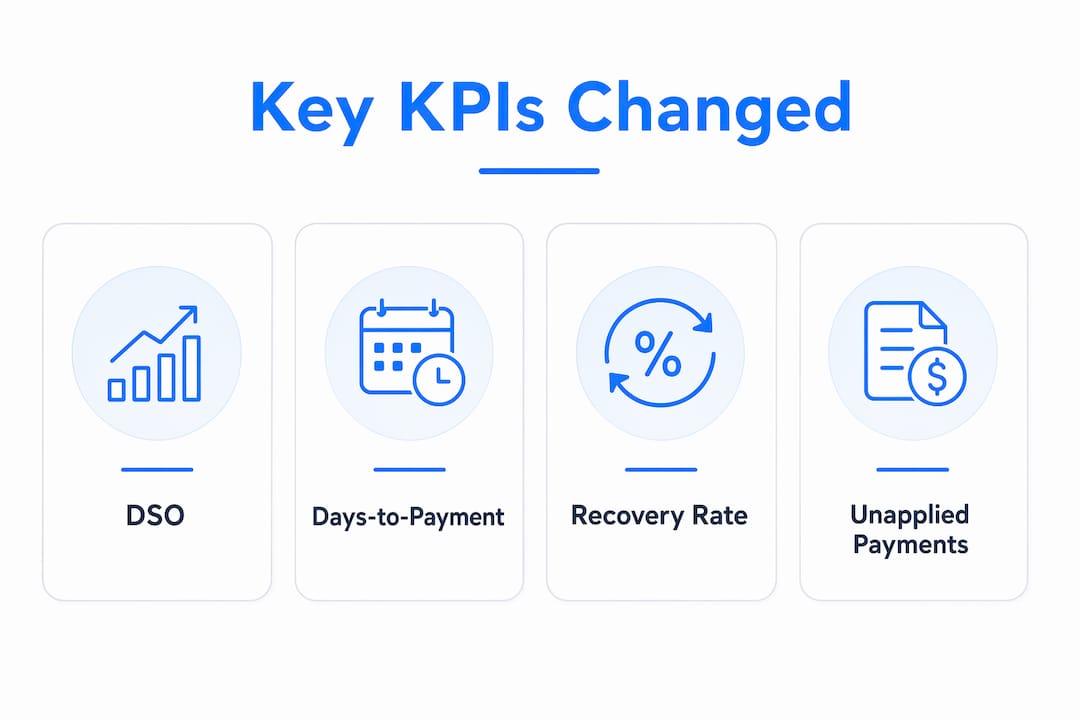
Intelligent automation can slash DSO by enabling timely reminders, automated matching, and predictive prioritization of collection efforts. According to NetSuite, finance teams most want real-time visibility into cash flow forecasts (66%), unapplied payments (56%), and payment channels (51%).
| KPI | Baseline problem | Expected direction | Typical driver |
|---|---|---|---|
| DSO | 60 days | Decreases | Faster invoicing + consistent follow-up |
| Days-to-payment | 30–50 days | Decreases | Self-service portals + retry logic |
| AR aging (90+ days) | High balance | Decreases | Automated escalation |
| Recovery rate | Low on aged debt | Increases | Predictive outreach prioritization |
| Unapplied payments | Time-consuming | Decreases | Automated cash application |
Interval-ai clients report reductions in days-to-payment of over 30 days. Before automation, a typical account might sit in the 60-day aging bucket with no outreach until a staff member manually reviews the ledger. After automation, that same account receives a consistent, brand-aligned follow-up sequence starting on day one past due, with escalation triggered automatically if no response comes.
Accounting automation also improves the controllership's ability to generate fast, accurate cash reports, which management uses for better decisions on spending, hiring, and growth.
3. A practical checklist for implementing automated billing
Getting from manual to automated does not require a six-month IT project. A focused 30–90 day pilot covers the essentials.
Preflight (weeks 1–2):
- Clean your customer data: verify account names, contract terms, and billing frequencies.
- Flag exception cases: disputed accounts, custom pricing structures, and accounts in legal hold.
- Map your dispute workflow so the system knows where to route flagged invoices.
Integration setup (weeks 2–4):
- Connect your accounting or ERP system, CRM, and payment gateway.
- Test in a sandbox with representative account types before touching live data.
- Confirm that payment data flows back to your ledger automatically.
Pilot design (weeks 4–12):
- Select a sample of 50–200 accounts that represent your typical AR mix.
- Define success criteria: target DSO reduction, recovery rate improvement, and cost-per-recovery.
- Assign stakeholder roles: who reviews exceptions, who approves rule changes, who monitors KPIs.
- Set a 30-day checkpoint and a 90-day go/no-go decision point.
Operational setup:
- Configure rule-based message templates for each outreach channel.
- Set escalation paths and SLAs for exception handling.
- Enable automated payment processing including self-service portals and retry logic.
Automation enables scalability without proportional headcount growth by shifting staff to exception management instead of routine transaction processing.
Pro Tip: Run a "configuration validation" sprint in week three. Feed the system your five most atypical contract structures and confirm the rules produce the correct invoice output. Catching a misconfiguration here saves weeks of reconciliation later.
4. Risks, compliance, and customer experience to watch
Automation shifts the error profile from manual typos to configuration mistakes. A single misconfigured pricing rule can generate incorrect invoices at scale before anyone notices. Audit trails and alerting are not optional.
Operational risks:
- Misconfigured rules producing wrong invoice amounts.
- Over-automation: sending too many messages too frequently damages customer relationships.
- Unapplied payments creating false AR aging if reconciliation rules are incomplete.
U.S. compliance requirements:
| Regulation | What it governs | Key requirement |
|---|---|---|
| TCPA | Calls and SMS to consumers | Prior written consent required |
| FDCPA | Debt collection practices | Prohibits harassment, false statements |
| PCI DSS | Card data security | Tokenize stored payment methods |
| CCPA | Consumer data privacy (California) | Consent, deletion rights, recordkeeping |
Mitigation steps:
- Maintain a full audit trail of every message sent and every rule change made.
- Build consent management into your onboarding flow for SMS and voice channels.
- Rate-limit outreach: define a maximum contact frequency per account per week.
- Use tokenization for all stored payment methods to meet PCI DSS requirements.
- Route any account that disputes a charge to a human reviewer within a defined SLA.
5. How to build a simple ROI model for billing automation
The math is straightforward. Start with four inputs:
- AR ledger size (total outstanding receivables).
- Baseline DSO (current average days to collect).
- Labor cost currently spent on manual follow-up and reconciliation.
- Subscription cost of the automation platform.
Worked example (conservative):
| Input | Baseline | After automation |
|---|---|---|
| AR staff hours on routine tasks | — | 5 hrs/week |
Reducing DSO by a substantial margin on a ledger of this size frees a notable amount of working capital. Add labor savings and the payback period on a typical SaaS subscription is measured in weeks, not quarters. Delaying automation creates silent costs through revenue leakage and time lost to manual reconciliation.
Which input moves the needle most? Recovery rate on aged debt typically drives more dollar value than headcount savings alone, especially for businesses with significant 90-day-plus balances. A 10% improvement in recovery rate on $100,000 of aged AR is $10,000 recovered directly.
Interval-ai clients report saving thousands in payroll costs while recovering substantial overdue balances, with days-to-payment reduced by over 30 days. Those outcomes translate directly into the working capital improvement shown above.
Pro Tip: Run your ROI model with two scenarios: one where only DSO improves and one where only recovery rate improves. Whichever scenario alone covers your subscription cost is your minimum success threshold for the pilot.
6. How to decide when your pilot is ready to scale
A 90-day pilot gives you enough data to make a confident go/no-go decision. Use this checklist:
Pilot success criteria:
- DSO reduced by at least 10 days versus baseline.
- Recovery rate on 60-day-plus accounts improved.
- Zero compliance incidents (no TCPA or FDCPA violations).
- Customer satisfaction score held steady or improved.
- Integration test passed with no unreconciled payments.
Vendor scorecard (evaluate before committing):
- Integration fit: does it connect to your accounting system, CRM, and payment gateway?
- Security and compliance: PCI DSS certification, TCPA consent management, CCPA controls.
- Configurability: can you set custom rules for your contract structures and outreach cadence?
- Reporting: real-time cash flow visibility and AR aging dashboards.
- Support model: onboarding help, rule-configuration support, and escalation response time.
Pilot timeline milestones:
- Day 1–14: Data prep, integration setup, sandbox testing.
- Day 15–30: Go-live on pilot accounts; monitor daily for rule errors.
- Day 31–60: First KPI checkpoint; adjust cadence and rules based on response data.
- Day 61–90: Final review; compare DSO, recovery rate, and labor hours to baseline.
- Day 91: Go/no-go decision with stakeholder signoff.
Pro Tip: Assign one internal owner to review the exception queue daily for the first 30 days. Most configuration issues surface in the first two weeks, and a human reviewer catches them before they affect customer relationships.
Key Takeaways
Automated billing improves cash flow by delivering invoices in real time, running consistent follow-ups across email, SMS, and voice, and reconciling payments automatically, reducing DSO and freeing working capital.
| Point | Details |
|---|---|
| Real-time invoicing cuts aging | Invoices sent at the billing event, not in batches, shorten the payment clock immediately. |
| DSO is the primary KPI | Track DSO, days-to-payment, and recovery rate before and after to prove the business case. |
| ROI is fast | Reducing DSO by a substantial margin on a ledger of this size frees a notable amount of working capital. |
| Compliance is non-negotiable | TCPA, FDCPA, PCI DSS, and CCPA requirements must be built into your setup before go-live. |
| Interval-ai reduces days-to-payment | Interval-ai clients report days-to-payment reduced by over 30 days without adding AR headcount. |
The case for AI-powered collections is stronger than most finance teams realize
The conventional wisdom treats billing automation as a back-office efficiency play. That framing undersells it. When you automate collections with an AI-powered platform, you are not just saving staff time; you are changing the fundamental relationship between your business and its cash. A customer who receives a consistent, professional follow-up on day one past due behaves differently than one who hears nothing for three weeks. Silence reads as permission to wait.
What most finance teams underestimate is the compounding effect. Faster invoicing reduces aging. Reduced aging means fewer accounts reach the 90-day bucket. Fewer aged accounts means a higher recovery rate without any additional effort. Each mechanism reinforces the others, and the cash flow management improvement compounds over time.
The risks are real but manageable. Configuration errors and compliance gaps are the two failure modes that actually derail implementations. Both are preventable with a proper validation sprint and consent management built in from the start. The businesses that struggle with automation are almost always the ones that skipped the sandbox testing phase or launched outreach without verifying TCPA consent records.
The pilot model described here is not theoretical. It is the minimum viable path to a defensible go/no-go decision in 90 days or less.
Interval-ai cuts days-to-payment without adding headcount
Most businesses chasing overdue payments face the same problem: the manual follow-up process is inconsistent, time-consuming, and hard to scale. Interval-ai solves that directly. The platform uses AI trained on historical payment data to tailor outreach strategies by account, sending the right message through the right channel at the right time, all while staying consistent with your brand voice.

Interval-ai handles multi-channel outreach (email, SMS, and voice), automated reconciliation, dispute routing, and real-time AR tracking. It integrates with your existing accounting and CRM systems, supports multilingual communication, and is built with PCI DSS compliance and TCPA consent controls in place. Clients report days-to-payment reduced by over 30 days and thousands saved in payroll costs, without hiring additional AR staff.
If your AR ledger has overdue balances that a consistent, automated follow-up process could recover, the next step is a demo. See how Interval-ai works and bring your current DSO number to the conversation.
Useful sources
- APQC: Benefits of automating invoicing and AR processes — Best for benchmarking automation capabilities and understanding AR as a customer touchpoint.
- Acumatica: Accounts receivable automation and cash flow — Covers real-time triggers and DSO improvement mechanics.
- NetSuite: What is automated billing? — Includes survey data on real-time reporting priorities for finance teams.
- Stripe: Automated billing systems explained — Practical overview of proactive notifications, retry logic, and payment integrations.
- Automation Anywhere: Accelerate cash flow with AI-powered automation — Links AI automation features directly to DSO reduction.
- AICPA & CIMA: Improving cash flow with automation (webcast) — Authoritative source on real-time reporting for controllership and management decision-making.
- BillingPlatform: Manual vs. automated billing — Covers scalability, audit trails, and configuration risk management.
- BillingPlatform: Billing automation ROI — Useful for modeling revenue leakage and payback period.
FAQ
How does automated billing reduce DSO?
Automated billing reduces DSO by delivering invoices immediately at the billing event and running consistent follow-up outreach on a rule-based cadence, so accounts move through the payment cycle faster than with manual processes.
What U.S. regulations apply to automated collections outreach?
TCPA requires prior written consent for automated calls and SMS, FDCPA governs debt collection practices, PCI DSS covers card data security, and CCPA applies to consumer data privacy for California residents.
How long does it take to see cash flow improvement after implementation?
Most businesses see measurable DSO improvement within the first 30–60 days of a pilot, with full ROI typically visible by the 90-day review point.
Can Interval-ai integrate with existing accounting and CRM systems?
Yes. Interval-ai integrates with accounting and CRM platforms, supports automated reconciliation, and connects to payment gateways, making it compatible with the systems most SMBs already use.
What is a realistic DSO reduction from billing automation?
Interval-ai clients report days-to-payment reduced by over 30 days; a conservative pilot target of a 10-day DSO reduction is a reasonable minimum threshold for a go/no-go decision.
