
How Startup Automation Cuts Burnout: A Founder's Guide
Published: August 10, 2026 · 12–13 min read
Automation and smart workflows can materially reduce startup burnout by removing repetitive work, smoothing workload spikes, and restoring decision-making time to your team. The evidence backs this up: early-stage founders report reclaiming 8–12 hours per week after automating recurring content and operational tasks. If you want to act on this today, start here:
- Audit repetitive work. List every task your team does more than twice a week that requires no real judgment.
- Pilot one human-in-the-loop workflow. Pick the highest-frequency task and automate it with a human review gate before output goes live.
- Set baseline metrics. Measure weekly hours on repetitive tasks and a simple 0–100 workload score before you change anything.
These three steps take less than a day to start and give you the data to make every subsequent decision with confidence.
Key Takeaways
Automation reduces startup burnout when it is applied as a work-design tool, not just a speed lever, targeting high-frequency, low-judgment tasks first and protecting employee autonomy throughout.
| Point | Details |
|---|---|
| Burnout is organizational | WHO and Gallup identify workload, control, and unpredictability as primary drivers, not individual failings. |
| Time savings are measurable | Founders automating recurring tasks report reclaiming 8–12 hours per week. |
| Audit before you automate | Map tasks by frequency and cognitive load before selecting a pilot to avoid automating the wrong things. |
| Measure at 30, 60, 90 days | Track weekly hours on automated tasks and a 0–100 workload score; target a 20% time reduction and 10-point score improvement. |
| Interval-ai for finance burnout | Automates collections outreach and follow-up, reducing days to payment by over 30 days and cutting manual finance workload. |
This article is general information, not a substitute for advice from a qualified doctor. Consult a qualified healthcare professional about your own circumstances before acting on anything here.
What is workplace burnout, and why is it your startup's problem?
Burnout is not a personal weakness. The World Health Organization classifies it as an occupational phenomenon driven by chronic workplace stress that has not been successfully managed. Its three markers are emotional exhaustion, growing cynicism toward the work, and a declining sense of personal efficacy. All three are organizational outcomes, not individual character flaws.
Gallup's research is direct on this point: the primary drivers of burnout are workload, lack of control, unfairness, and unpredictability. These are job-design problems. Wellness apps and meditation stipends can help at the margins, but they do not fix a broken workflow. Replacing an employee who burns out can cost 30% to 200% of that person's annual salary, which means burnout is also a balance-sheet problem for any startup watching its runway.
The organizational causes worth tracking in your own team:
- Unmanageable workload — too many tasks, not enough time or people
- Low control — employees execute but cannot influence how or when work gets done
- Unpredictability — shifting priorities, unclear deadlines, surprise requests
- Lack of feedback — no signal on whether work is landing or mattering
- Administrative drag — high-judgment people spending hours on low-judgment tasks
Startups are especially exposed to all five. Small teams wear multiple hats, processes are informal, and the pressure to move fast creates exactly the chronic stress the WHO describes.
How startup automation reduces burnout through better work design
Automation reduces burnout when it changes the job characteristics that cause stress, not just when it speeds things up. MIT Sloan's synthesis makes this distinction clearly: automation paired with deliberate job redesign improves outcomes; automation applied only to increase output can make things worse.
Here are the mechanisms that actually shift work design for the better:
- Removes repetitive tasks. Automating data entry, status updates, and routine follow-ups frees cognitive bandwidth for work that requires real judgment.
- Reduces handoffs. Automated routing (support tickets, invoice reminders, approval requests) cuts the back-and-forth that fragments attention and delays resolution.
- Smooths workload peaks. Scheduled automation runs at consistent intervals, preventing the end-of-month pile-up that hits finance and ops teams.
- Increases predictability. When a workflow runs on a defined trigger, your team knows what to expect and when, which reduces ambient anxiety.
- Enables autonomy. Automating the low-discretion work gives employees more time on the high-discretion work they actually control and find meaningful.
- Speeds feedback loops. Automated reporting and CI/CD pipelines shorten the time between action and result, which is motivating and helps teams course-correct faster.
Pro Tip: Design every automation with a human review gate for any output that affects a customer or a financial record. This preserves quality and keeps your team in control of consequential decisions, which protects autonomy rather than eroding it.
The Devexis framing captures this well: automation functions as a strategic co-founder that handles operational repetition so your people can focus on strategy. That shift in role definition is what changes the experience of work, not just the volume of it.
Which startup workflows should you automate first?
Not every automation delivers the same burnout relief. The examples below are tagged by effort level and the roles that benefit most.
- Marketing content drafts (Quick win / Founder, marketing): Use tools like Jasper or ChatGPT with a structured prompt template to generate first drafts of newsletters, social posts, and blog outlines. Founders using structured AI content workflows report reduced late-night catch-up work within weeks.
- Support ticket triage (Quick win / Customer success): Route incoming tickets by keyword or intent using Intercom, Zendesk, or a simple Zapier rule. CS reps stop spending the first hour of every day sorting the queue manually.
- Invoicing and collections follow-up (Quick win / Finance, ops): Automated payment reminders and overdue outreach remove one of the most emotionally draining tasks in a small finance team. This is where tools like Interval-ai deliver fast, measurable relief.
- Recurring reporting (Medium effort / Ops, founder): Connect your data sources to a dashboard tool like Looker Studio or Metabase. Weekly reports that used to take two hours to compile run automatically.
- CI/CD and deployment (Medium effort / Engineering): GitHub Actions or CircleCI automate testing and deployment pipelines, cutting the manual release anxiety that keeps engineers working late on Fridays.
- Scheduling and meeting coordination (Quick win / Everyone): Calendly or similar tools eliminate the back-and-forth email chains that fragment focus throughout the day.
The highest-ROI starting point for most startups is the intersection of high frequency, low judgment, and high emotional cost. Collections follow-up and ticket triage both sit squarely there.
How to pilot automation without adding stress to your team
A poorly rolled-out automation can increase anxiety rather than reduce it. The playbook below keeps the process controlled and the team informed.
Step 1: Audit (Week 1)
Ask every team member to log tasks for five days, categorizing each by repetition (does this happen more than twice a week?) and cognitive load (does this require real judgment, or just execution?). You are looking for high-repetition, low-judgment tasks. Also note which tasks generate the most complaints or context-switching.
Step 2: Prioritize (Week 1–2)
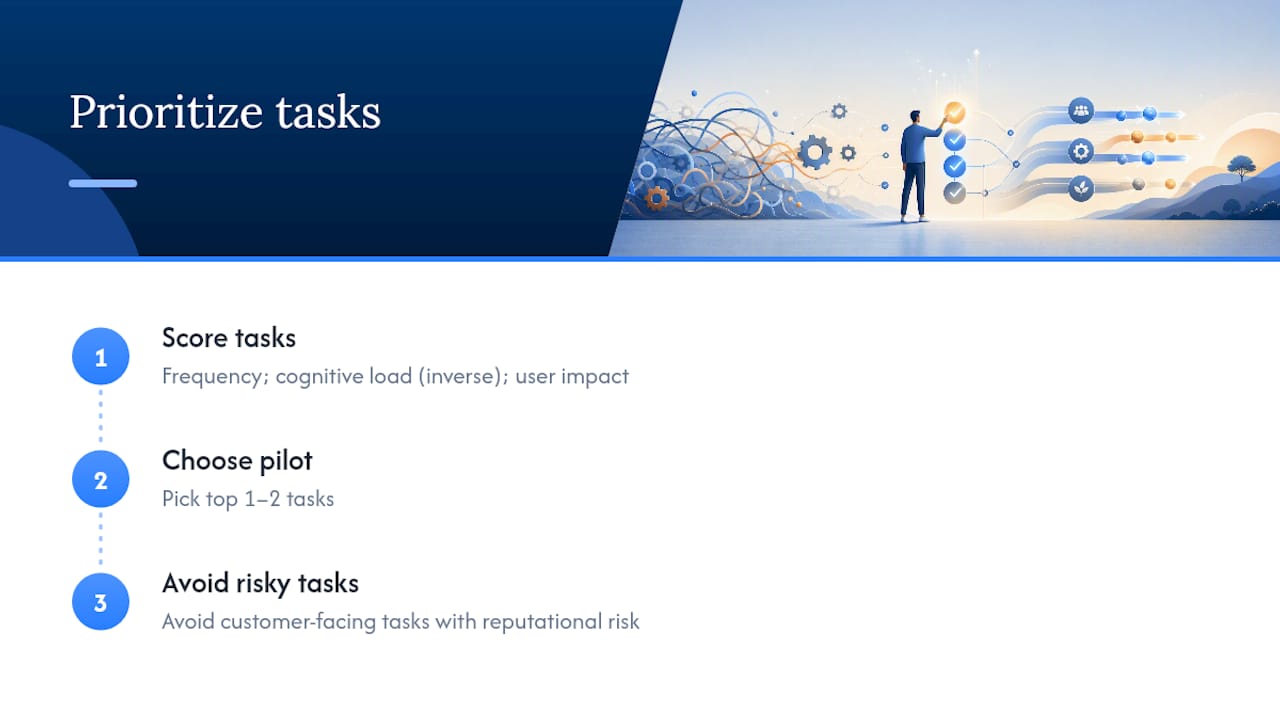
Score each candidate task on three dimensions: frequency, cognitive load (inverse — lower load scores higher), and user impact if it goes wrong. Pick the top one or two tasks. Avoid starting with anything customer-facing that carries high reputational risk.
Step 3: Build the pilot (Weeks 2–4)
Build the automation with a human review gate. The automated system drafts, routes, or triggers; a human approves before anything consequential happens. Document the workflow so the team understands exactly what the automation does and does not do.

Step 4: Measure (Weeks 4–8)
Track the baseline metrics you set before launch: weekly hours on the task, error rate, and workload score. Compare to post-launch numbers at the four-week mark. Lean feedback loops are the mechanism here: short cycles let you catch problems before they compound.
Step 5: Iterate and scale (Week 8+)
If not, adjust the human review gate or the trigger logic before scaling.
Manager questions to ask before, during, and after:
- Before: "Does this automation give the team more control over their work, or less?"
- During: "Are people using the review gate, or bypassing it because it feels like extra work?"
- After: "Where did the recovered time actually go? Did it go back to the team, or did it just fill with new tasks?"
Pro Tip: Set a calendar reminder at the 30-day mark to ask your team directly whether the automation made their day better or just different. Their answer tells you more than any dashboard.
How automation can make burnout worse, and what to prevent that
Automation done wrong creates new stressors. These are the failure modes founders most often miss.
| Failure mode | What goes wrong | Mitigation |
|---|---|---|
| Surveillance creep | Productivity tracking tools monitor keystrokes, idle time, or message frequency, increasing anxiety | Use opt-in dashboards; share data with the employee first, not management |
| Rising expectations | Automation frees time, but leadership immediately fills it with new deliverables | Explicitly protect recovered time for rest, development, or strategic work |
| Loss of discretion | Automated routing removes employee judgment from decisions they previously owned | Keep humans on approval for any decision that affects a customer or a record |
| Scope creep | A pilot expands before it is stable, multiplying errors and rework | Gate expansion on measured success criteria, not enthusiasm |
| Opaque systems | Employees don't understand what the automation does, creating distrust | Document every workflow and share it with the team before launch |
Mitigation steps worth building into your policy:
- Write a one-page automation charter that states what each tool does, what data it touches, and who has override authority.
- Require a human override option for every automated customer-facing communication.
- Recalibrate workload expectations formally after each automation goes live. Do not assume the team will self-advocate.
- Create an escalation path for employees who feel an automation is harming their work quality or autonomy.
Pro Tip: Wait at least 30 days before measuring productivity gains from a new automation. Teams need time to adjust, and early data often reflects the learning curve, not the steady-state outcome.
What metrics prove that automation actually reduced burnout?
Measurement is what separates a genuine work-design improvement from a story you tell at a board meeting. Set your baseline before any automation goes live, then measure at 30, 60, and 90 days.
Leading indicators (early signals, weeks 1–4):
- Weekly hours logged on the automated task (target: 20% reduction within four weeks)
- Number of manual handoffs eliminated per week
- Team-reported workload score on a simple 0–100 scale (target: 10-point improvement within eight weeks)
Lagging indicators (structural outcomes, weeks 8–12):
- Employee retention rate (burnout is a leading cause of voluntary turnover)
- Time-to-close on finance workflows (invoicing, collections, reconciliation)
- Sick day and PTO usage patterns (chronic overwork shows up here)
A practical measurement cadence: weekly check-in on leading indicators for the first eight weeks, then monthly for lagging indicators. Keep it simple enough that the measurement itself does not become a burden.
How automating collections reduced finance-team burnout: an Interval-ai example
Finance teams at small and mid-sized companies carry a specific, grinding form of burnout: the weekly cycle of manually sending payment reminders, following up on disputes, updating payment methods, and reconciling overdue accounts. It is high-frequency, emotionally uncomfortable, and almost entirely low-judgment work.
Interval-ai automates the full collections workflow: outreach, follow-up sequences, dispute triage, and payment method updates, all calibrated to the business's brand voice and historical payment data. The result, based on client outcomes reported by Interval-ai, includes:
- Overdue payment resolution accelerated by over 30 days
- Payroll costs reduced by thousands of dollars annually, because the manual follow-up work no longer requires dedicated staff time
- Finance team attention redirected to exceptions, disputes, and strategic cash-flow decisions
Results vary by business size, industry, and AR volume. A pilot typically shows measurable time savings within the first billing cycle.
The mistake most founders make with automation
Most founders automate first and design later. They find a tool, connect it to a workflow, and declare the problem solved. Six months later, the team is just as stressed, because the automation sped up a broken process rather than fixing it.
The right mindset is to treat every automation decision as a job-redesign exercise. Before you automate anything, ask: what is the job this person is actually doing, and which parts of it are worth their attention? Automation should expand the parts that require judgment and eliminate the parts that don't. When you invert that, you get surveillance, scope creep, and a team that feels managed by software rather than supported by it.
A few leadership behaviors that make the difference:
- Design the work first, then find the tool. Not the other way around.
- Set human review gates before launch, not after something goes wrong.
- Invest recovered time back into the team: development, rest, or strategic projects.
- Treat automation rollouts as change management, not IT deployments.
Automation is a responsibility of leadership. The UNC research on employee energy is clear that structural fixes outperform individual wellness interventions. You cannot meditate your way out of a broken workflow. But you can redesign it.
Interval-ai cuts finance burnout faster than you might expect
If your finance or ops team is spending hours each week on collections follow-up, Interval-ai is a direct solution to that specific burnout source. The platform automates outreach, payment reminders, dispute routing, and payment method updates across multiple channels, all in your brand's voice, without adding headcount.

Clients report recovering over 30 days in payment timelines and saving thousands in annual payroll costs by removing manual collections work from their team's plate. Integration with your existing accounting or CRM system is straightforward, and most businesses see measurable time savings within the first billing cycle. For founders thinking about employee financial wellbeing as part of a broader retention strategy, reducing the emotional load on your finance team is a concrete first step.
Book a demo at Interval-ai to see how the platform fits your AR volume and workflow.
Sources
- Preventing and dealing with employee burnout
- Design work to prevent burnout
- Burn-out an occupational phenomenon in international classification of diseases
- How to Build an AI-Powered Workflow for Your Startup (2026 Guide) — Monolit Blog
- Startup Burnout is Real: How Automation is Becoming the New Co-Founder - Devexis India
FAQ
How does startup automation reduce burnout specifically?
Automation removes high-frequency, low-judgment tasks from your team's workload, which reduces the chronic overload and unpredictability that the WHO and Gallup identify as primary burnout drivers. The mechanism is work redesign, not just speed.
How long does it take to see burnout relief from automation?
Most teams see leading indicators (time saved, workload score improvements) within four to eight weeks of a well-designed pilot. Lagging indicators like retention and sick-day patterns take 60–90 days to reflect structural change.
What is the biggest risk of automating startup workflows?
The most common failure mode is rising expectations: leadership fills recovered time with new deliverables instead of protecting it, so the team ends up just as stressed. Set an explicit policy for how recovered time will be used before the automation goes live.
Can automation help with finance-team burnout specifically?
Yes. Collections follow-up, payment reminders, and dispute triage are high-frequency, emotionally draining tasks that are well-suited to automation. Interval-ai automates this entire workflow and clients report reducing days to payment by over 30 days.
