
How to Onboard an AI Collections Tool at Your Startup
Published: May 23, 2026 · 10–11 min read
TL;DR:
- Preparing clean data, ensuring compliance, and assigning clear roles are crucial for successful AI collections onboarding.
- Implementing phased rollouts, continuous monitoring, and tracking key KPIs help maximize efficiency and measure progress effectively.
Slow collections don't just feel frustrating. They quietly drain your cash flow, delay payroll, and force you to make decisions based on money you're owed but haven't received. If you're trying to onboard an AI collections tool at your startup, you already understand the problem. Manual follow-up is inconsistent, customers learn that silence reads as permission to wait, and your team spends hours on tasks that should run automatically. This guide walks you through exactly what to prepare, how to execute the onboarding, what compliance requirements to meet, and how to measure whether it's working.
Key takeaways
| Point | Details |
|---|---|
| Prepare your data first | Clean AR aging reports and integrated CRM records are required before any AI tool can perform accurately. |
| Compliance is infrastructure | TCPA and FDCPA rules must be enforced at the workflow layer, not just in policy documents. |
| Expect results in 30 to 90 days | Most businesses see measurable DSO improvements within 60 to 90 days of going live. |
| Use a phased rollout | Start with one customer segment to validate performance before expanding to your full AR portfolio. |
| Track the right KPIs | Monitor DSO, promise-to-pay adherence, and recovery rate from day one to confirm the tool is delivering value. |
What to do before you onboard an AI collections tool at your startup
Most onboarding problems don't start during setup. They start weeks earlier, when a business skips the preparation phase and assumes the AI tool will sort out messy data on its own. It won't. Here's what you need to have in place before you begin.
Data sources you need ready:
- AR aging reports (current and at least 90 days of history)
- Customer contact records with verified phone numbers and email addresses
- Payment history per account, including partial payments and disputes
- Existing payment portal credentials and API documentation
- Open invoice records segmented by amount, age, and customer type
Tech stack readiness:
Your AI collection software needs to connect to your ERP (such as SAP FI or Oracle AR), your CRM (such as Salesforce or HubSpot), and your payment gateway. If those systems aren't integrated or your data lives in spreadsheets, plan for extra lead time. AI collections tools that integrate with SAP FI, Salesforce, and payment portals can deploy in as few as 9 days when the data is clean and connections are ready.
Compliance prerequisites:
This is where many startups get caught off guard. As of the February 2024 FCC ruling, AI-generated outbound calls require prior express written consent under TCPA. You need a consent management process in place before your first automated call or text goes out. That means documented opt-ins, a system to check consent status before each outreach, and a process to honor revocations immediately.
Pro Tip: Build a simple consent status field into your CRM before onboarding begins. It takes less than an hour to set up and saves you from a compliance gap that could stall your entire launch.
Team roles to assign:
You don't need a large team, but you do need clear ownership. Assign an AR lead to manage workflow rules and exceptions, an IT contact for integration support, and a compliance reviewer to sign off on templates and escalation policies. Successful AI collections deployments consistently involve AR leads, IT, compliance, and an executive sponsor working together from the start.

| Preparation task | Estimated time |
|---|---|
| Clean and export AR aging data | 3 to 5 days |
| Verify customer contact records | 2 to 3 days |
| Set up consent management fields | 1 day |
| Confirm ERP and CRM API access | 2 to 5 days |
| Assign internal team roles | 1 day |
Step-by-step onboarding process for AI collections tools
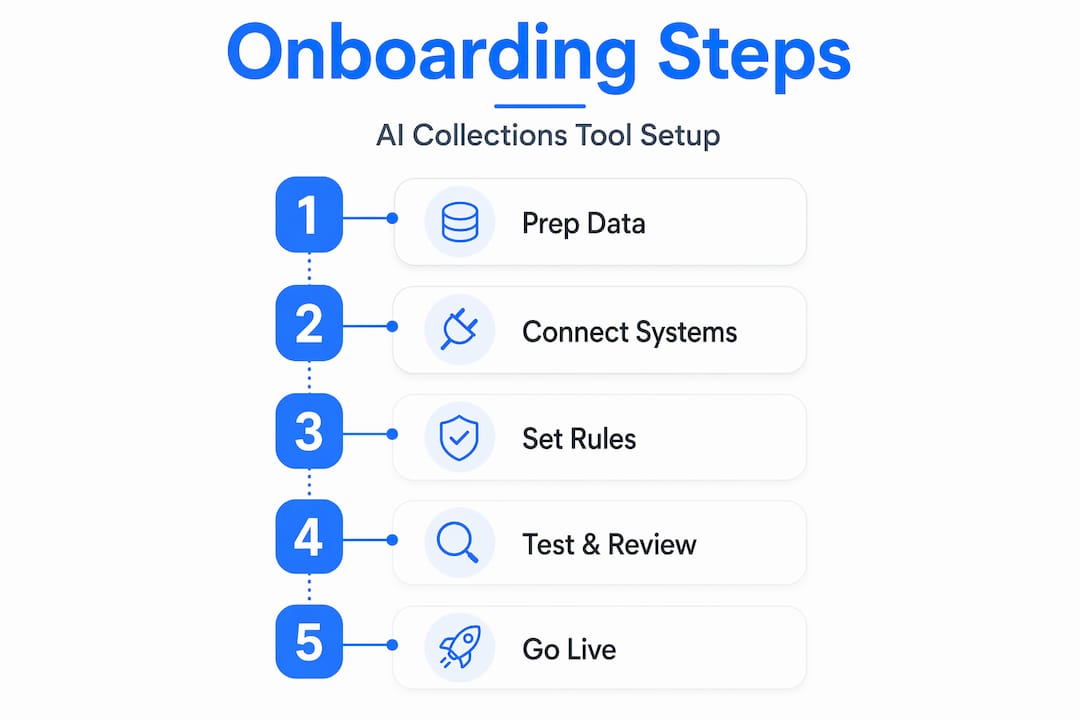
Once your preparation is complete, the actual onboarding process follows a clear sequence. Mid-market implementations typically run 30 to 45 days from contract to launch, though simpler setups can go live in 15 to 20 days.
-
Finalize vendor selection and sign the contract. Confirm the vendor's integration capabilities, data security certifications (SOC 2 is standard), and support model. Ask specifically how they handle consent revocations and what their SLA is for compliance updates.
-
Connect your ERP, CRM, and payment portals. This is the technical core of the onboarding. A well-designed AI collection software will extract AR aging data from your ERP, score accounts using ML payment propensity models, and post payment confirmations back to your ERP automatically. Work with your IT contact to test each connection before moving forward.
-
Configure AI workflows and communication templates. Set up your escalation rules, communication cadences, and message templates. Define which accounts get automated outreach first (typically lower-risk, higher-balance accounts), what channels to use (email, SMS, voice), and when a human collector should step in.
-
Set up consent checking and compliance automation. Every outbound communication must trigger a consent check before it sends. Systems that handle this well honor revocations within 60 seconds of a customer request. Confirm this is active and tested before go-live.
-
Run internal testing with a small account sample. Select 20 to 50 accounts from a single segment and run the full workflow internally. Check that ERP data is pulling correctly, that messages are personalized accurately, and that escalation rules fire at the right thresholds.
-
Conduct a phased rollout. Start with one customer segment at full automation, monitor results for two weeks, then expand. Phased rollout is consistently recommended by experienced deployments because it lets you catch configuration issues before they affect your entire AR portfolio.
-
Go live and begin daily monitoring. Once you expand to full production, monitor your dashboard daily for the first 30 days. Watch for unusual escalation spikes, consent flags, or payment posting errors.
Pro Tip: During the testing phase, have your AR lead manually review every escalation that fires. The first two weeks of data will tell you more about your workflow configuration than any vendor demo ever will.
Troubleshooting common onboarding challenges
Even a well-prepared onboarding will hit friction points. Knowing what to expect makes them easier to resolve quickly.
Data quality and integration delays are the most common issue. If your AR data has duplicate records, missing contact fields, or inconsistent invoice formats, the AI tool will either skip those accounts or make incorrect decisions. Audit your data before integration, not after.
Consent revocation failures are a compliance risk that can surface quietly. If your system doesn't process a revocation in real time, you could send an outreach to an opted-out customer within the same hour. Compliance controls must be enforced at the infrastructure and workflow layer, not just documented in a policy. Test revocation processing explicitly during your pilot phase.
AI "hallucinations" in collections happen when the tool is pulling from inconsistent data sources. If your ERP shows one balance and your CRM shows another, the AI may act on the wrong figure. Treating your onboarding like an operational control system with a single source of truth for AR data, consent state, and interaction outcomes is the clearest way to prevent this.
"Regulators focus on what AI technology does operationally, not just on disclaimers. Compliance controls must be infrastructural, including real-time consent verification and revocation management."
Pro Tip: Set up a weekly sync between your AR lead and IT contact for the first 60 days. Most configuration issues are caught faster through conversation than through dashboards.
- Audit trails and interaction logs must be stored and accessible for compliance reviews
- Frequency caps per account should be hard-coded into your workflow, not left to manual oversight
- Escalation rules need a clear human handoff path for disputed accounts and payment plan negotiations
Measuring success after your AI collections tool goes live
You need numbers to know whether the tool is working. Tracking the right KPIs from day one gives you the data to optimize quickly and report confidently to stakeholders. Key metrics for AI collections tools include DSO, CEI, promise-to-pay adherence, dispute cycle time, recovery rate, collector productivity, and forecast variance.
| KPI | What it measures | When to expect improvement |
|---|---|---|
| Days Sales Outstanding (DSO) | Average days to collect payment | 60 to 90 days post-launch |
| Promise-to-pay adherence | % of customers who pay after committing | 30 to 60 days post-launch |
| Recovery rate | % of overdue balance collected | 30 to 90 days post-launch |
| Collector productivity | Accounts handled per team member | Immediate, as automation takes over routine follow-up |
| Forecast variance | Accuracy of cash flow predictions | 60 to 90 days post-launch |
The DSO metric deserves special attention. AI voice agents that handle 70 to 85% of calls autonomously have produced DSO reductions of 15 to 25 days and cost savings of 60 to 75% within 90 days. Those are meaningful numbers for a startup managing cash flow month to month.
Measurable impact typically appears within 4 to 12 weeks when you baseline one segment first and expand from there. Don't wait until 90 days to check your numbers. Review your DSO trend and promise-to-pay rate at the 30-day mark. If those numbers aren't moving, your workflow configuration likely needs adjustment, not more time.
Build a simple CFO-facing dashboard that shows DSO trend, recovery rate, and cash collected versus forecast. It takes 30 minutes to set up and gives your leadership team immediate visibility into the tool's impact.
My honest take on onboarding AI collections tools
I've seen a lot of startups approach AI collections onboarding the way they'd approach installing a new app. They sign the contract, connect the integration, and expect results the next week. That mindset leads to frustration.
What I've learned is that the businesses that get the fastest results treat the AI tool as an operational control system, not a plug-in. They think carefully about what data the tool will act on, who owns each decision point, and what happens when the AI encounters an edge case it wasn't configured to handle. The compliance layer is where I see the most shortcuts taken, and it's also where the most expensive mistakes happen. Regulators don't care that you didn't know about the February 2024 FCC update. The rule applies whether you've read it or not.
The other thing I'd tell any startup owner is this: automation doesn't replace judgment. It replaces repetition. Your best AR person should be spending time on complex disputes and relationship-sensitive accounts, not sending the same follow-up email for the fourth time. When you configure your escalation rules well, that's exactly what happens. The AI handles the routine, and your team handles the exceptions.
The startups I've seen succeed with this are the ones who spend an extra week on preparation, assign real ownership to the onboarding process, and track their KPIs from day one. The ones who struggle are the ones who treat it like a set-it-and-forget-it solution. It isn't. But when you run it right, the results are genuinely worth the effort.
— Tyler
How Interval-ai makes this process easier
If you're ready to move from manual collections to automated, compliant outreach, Interval-ai is built specifically for this transition.

Interval-ai connects with your existing systems, configures outreach workflows based on your historical payment data, and manages communications across email, SMS, and voice without requiring additional staff. Clients report reducing days to payment by over 30 days and recovering significant balances without adding headcount. The platform is designed with compliance built into the workflow layer, not bolted on afterward. If you want to see what a well-structured AI collections onboarding looks like in practice, Interval-ai is a strong place to start.
FAQ
How long does it take to onboard an AI collections tool?
Most startups can go live in 15 to 45 days depending on the complexity of their ERP and CRM integrations. Simpler setups with clean data and ready API access can deploy in as few as 9 days.
What compliance rules apply to AI collections outreach?
AI-generated outbound voice calls require prior express written consent under TCPA, following the February 2024 FCC ruling. FDCPA and Regulation F rules also apply and must be enforced at the infrastructure layer with audit-ready records.
What KPIs should I track after going live?
Focus on DSO, promise-to-pay adherence, recovery rate, and collector productivity. Most businesses see measurable improvements within 30 to 90 days of launch.
Do I need to replace my ERP or CRM to use AI collection software?
No. The best AI collection software integrates with your existing ERP and CRM systems rather than replacing them. Clean, connected data is the requirement, not new software.
What is the biggest risk during AI collections onboarding?
Data quality issues and compliance gaps are the two most common risks. Messy AR data leads to incorrect AI decisions, while missing consent management can result in regulatory violations before you realize there's a problem.
