
How Workflow Automation Works: A Business Guide

Published: July 5, 2026 · 9–10 min read
TL;DR:
- Workflow automation uses software rules to execute business tasks automatically based on triggers, conditions, and actions. It reduces errors, speeds up processes, and allows employees to focus on tasks requiring human judgment.
Workflow automation is defined as the use of software rules to execute business tasks automatically, based on specific triggers, conditions, and actions, without manual intervention. Understanding how workflow automation works gives your organization a direct path to fewer errors, faster cycle times, and employees focused on work that actually requires human judgment. The foundational logic model behind nearly every automation platform follows a three-layer structure: something happens, the system evaluates it, and the system acts. Workflow automation reduces errors, speeds up cycle times, and frees your team for higher-value work. That shift alone changes how a business operates day to day.
How workflow automation works: the trigger-condition-action model
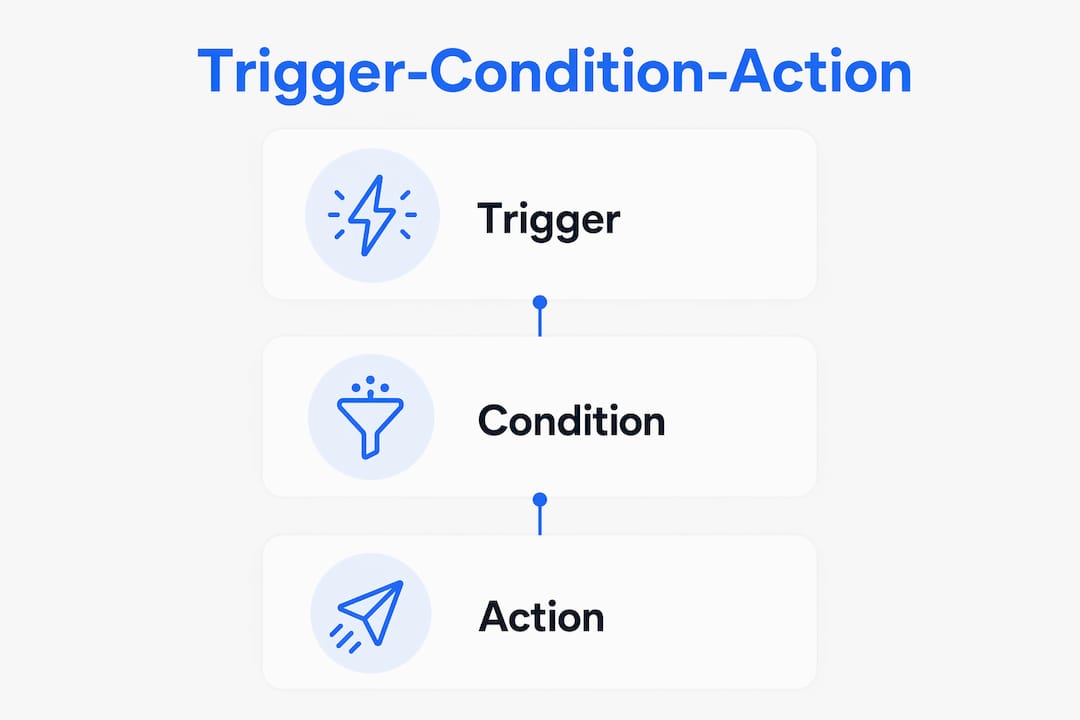
Workflow automation operates on a three-layer logic model: triggers, conditions, and actions. Every automated process you build starts with this framework, regardless of the platform or industry.
Triggers: what starts the process
A trigger is an event that tells the system to begin a workflow. Triggers can be time-based, such as a scheduled report that runs every monday morning. They can also be event-based, like a new customer record created in your CRM, a form submission, or an invoice marked overdue. The trigger does not do any work itself. It simply signals that a process should begin.

Conditions: where decisions happen
Conditions evaluate data and determine which path the workflow follows. This is the if/then logic at the core of automation. If a new lead comes from a specific region, route it to the regional sales team. If an invoice is more than 30 days overdue, escalate it. Conditions let you encode your actual business rules into the system, so the right action happens every time without someone manually reviewing each case.
Actions: what the system does
Actions are the tasks the system performs automatically once a condition is met. Sending an email, updating a database record, creating a task, generating a document, or posting a notification are all examples of actions. One trigger can set off a chain of actions across multiple steps.
Most workflow automation platforms support branching conditions, loops, and parallel branches to handle complex processes. Branching lets a workflow follow different paths based on different outcomes. Parallel branches let two or more actions run at the same time, which cuts total process time significantly.
| Component | Role | Example |
|---|---|---|
| Trigger | Starts the workflow | Invoice marked overdue |
| Condition | Evaluates data and routes the process | If overdue by 30+ days, escalate |
| Action | Executes the task automatically | Send follow-up email to customer |
| Branch | Directs flow based on outcome | Route to collections vs. standard reminder |
| Loop | Repeats a step until a condition is met | Retry notification until confirmed read |
Pro Tip: Map your most repetitive manual process first. If a team member makes the same decision more than ten times a week, that decision is a strong candidate for a condition in your automation.
How do automation systems connect across multiple business applications?
Workflow automation platforms connect to apps via APIs and pre-built connectors, enabling orchestrated work across CRM, ERP, ticketing, and document storage systems without manual data copying. This integration layer is what separates true workflow automation from simple task scheduling.
When a sales rep closes a deal in your CRM, an integrated workflow can automatically create a project in your project management tool, generate a contract in your document system, and notify the finance team in your messaging platform. No one copies data between systems. No step gets skipped because someone was busy.
The practical benefits of cross-system integration include:
- Eliminated manual data transfer. Your team stops re-entering the same information across multiple platforms.
- Consistent records. Every system reflects the same data at the same time, which reduces discrepancies.
- Faster handoffs. Work moves from one team or system to the next the moment a condition is met, not when someone remembers to pass it along.
- Audit trails. Automated workflows create a timestamped record of every action taken, which supports compliance and accountability. A solid digital audit trail becomes especially valuable when regulators or auditors ask for documentation.
Workflow automation is linked with process improvement methodologies like Six Sigma and Total Quality Management to eliminate silos and boost efficiency. The connection makes sense: automation enforces the same process rules every time, which is exactly what Six Sigma and TQM demand.
Pro Tip: Before you build any integration, verify that both systems support the same authentication method, such as OAuth 2.0 or API key access. Mismatched authentication is the most common reason integrations fail before they even launch.
What steps should you follow to design and test automated workflows?
Building a reliable automated workflow follows a clear sequence. Skipping steps, especially testing, is the most common reason automation fails in production.
-
Map your current process. Write down every step your team takes manually. Identify where decisions are made, where data moves between people or systems, and where delays typically occur. You cannot automate a process you have not fully documented.
-
Define your business rules. Effective workflow automation design includes defining triggers, decision points with if/then logic, routing, deadlines, and escalation paths. Translate those rules into the exact conditions your platform will evaluate.
-
Build the workflow in stages. Start with the main path, often called the happy path, where everything goes as expected. Add branches for exceptions and edge cases after the core flow works correctly.
-
Run a dry run with sample data. Before activating automation in production, teams perform a dry run using sample data to validate correct behavior without affecting live operations. Test every branch, not just the most common path. A branch you never test is a branch that will fail at the worst possible moment.
-
Train your team on the new process. Automation changes how people interact with their tools. If your team does not understand what the system now handles automatically, they will duplicate work or override the automation without realizing it.
-
Monitor and refine continuously. Review workflow logs regularly. Look for steps that fail frequently, branches that never trigger, or actions that complete but produce incorrect outputs. Treat your first deployment as version one, not the final version.
Pro Tip: Assign one person as the workflow owner for each automated process. That person reviews logs weekly and owns any updates. Without clear ownership, broken workflows go unnoticed for weeks.
What are the key challenges in scaling workflow automation?
Scaling automation beyond a few simple workflows introduces complexity that catches many organizations off guard. The biggest gap is between designing for the expected path and designing for everything that can go wrong.
Exception and error handling are critical for reliable automation. Handling API failures, missing records, or unexpected data prevents workflow stalls. Without exception handling, a single bad data record can freeze an entire process silently, and no one knows until a customer complains or a deadline passes.
Common failure modes to plan for include:
- API timeouts. External systems go down or respond slowly. Your workflow needs a retry mechanism and a fallback alert if retries fail.
- Missing or malformed data. A required field is blank or formatted incorrectly. The workflow needs a branch that flags the record for human review rather than proceeding with incomplete information.
- Unexpected inputs. A value outside the expected range arrives. Without a catch-all condition, the workflow either errors out or takes the wrong path.
- Cascading failures. One failed action blocks all downstream steps. Build checkpoints that isolate failures so the rest of the workflow continues where possible.
"Robust workflow automation requires extensive error handling to ensure that exceptions such as API failures or missing data do not cause silent stalls in the process."
Advanced automation deployments also use parallel execution, where multiple branches run at the same time, and conditional branching that evaluates several variables simultaneously. These features increase throughput but also increase the number of paths you need to test and monitor. The organizations that scale automation successfully treat error handling as a first-class design requirement, not an afterthought.
Key Takeaways
Workflow automation works because the trigger-condition-action model encodes your business rules into software, so every process runs consistently, accurately, and without manual oversight.
| Point | Details |
|---|---|
| Core logic model | Every automated workflow runs on triggers, conditions, and actions working in sequence. |
| Integration is the multiplier | APIs and pre-built connectors let automation span CRM, ERP, and other systems without manual data transfer. |
| Test before you go live | Dry runs with sample data catch routing errors before they affect real operations. |
| Error handling is non-negotiable | Build exception branches for API failures and missing data to prevent silent workflow stalls. |
| Ownership drives reliability | Assign one person to monitor each workflow and own updates, or broken processes go unnoticed. |
Why the trigger-condition-action model is the most underrated business concept
Most conversations about automation focus on the tools. Which platform, which integrations, which price tier. That framing misses the point entirely. The real leverage is in understanding the trigger-condition-action model deeply enough to apply it to any process in your business.
I have seen organizations spend months evaluating platforms and then build automations that fail within weeks, because they never clearly defined their conditions. They automated the happy path and assumed the edge cases would sort themselves out. They do not. Every process has exceptions, and those exceptions are where the real work lives.
The organizations that get the most from automation are the ones that treat it like a discipline, not a feature. They map processes before they build. They test every branch. They assign ownership. They review logs. That sounds like extra work, but it is actually what makes automation pay off instead of creating a new category of technical debt.
The connection to methodologies like Six Sigma and TQM is not accidental. Automation enforces consistency, and consistency is what quality management has always been about. When you automate a process, you are also documenting it, standardizing it, and making it auditable. That is valuable independent of the time savings.
The next wave of automation adds AI-driven decision-making to the condition layer, where the system evaluates unstructured data or predicts outcomes rather than just checking fixed rules. That shift makes the trigger-condition-action model more powerful, not less relevant. Understanding it now puts you ahead of most decision-makers who are still treating automation as a shortcut rather than a system.
— Tyler
Interval-ai and automated business workflows
Putting workflow automation into practice requires more than a framework. It requires a system that connects to your existing operations and acts on real data, consistently and without adding headcount.

Interval-ai applies the trigger-condition-action model directly to one of the most time-consuming business processes: collections and overdue payment follow-up. The platform uses historical payment data to determine the right outreach timing and channel for each customer, then executes communications automatically across multiple touchpoints. Interval-ai clients report reducing days to payment by over 30 days and recovering significant revenue without adding staff. If your team is spending hours each week on manual follow-up, Interval-ai's automated collections shows what a well-designed automated workflow looks like in practice.
FAQ
What is workflow automation?
Workflow automation is the use of software to execute business processes automatically based on predefined triggers, conditions, and actions. It replaces manual steps with consistent, rule-driven operations that run without human intervention.
How does the trigger-condition-action model work?
A trigger detects an event, a condition evaluates data to determine the correct path, and an action executes the task automatically. This three-layer logic model is the foundation of nearly every workflow automation platform.
What are common examples of workflow automation?
Common examples include automatically routing a new lead to the correct sales rep, sending payment reminders when an invoice passes its due date, and syncing customer records across CRM and ERP systems without manual data entry.
How do you test a workflow before going live?
Performing dry runs with sample data before full deployment confirms that every branch routes correctly and every action performs as expected, without risking live operational data.
What causes workflow automation to fail?
The most common causes are missing exception handling for API failures and bad data, unclear business rules in the condition layer, and lack of assigned ownership for monitoring and maintaining the workflow after launch.
