
Startup Back-Office Automation Stack for Founders
Published: June 10, 2026 · 12–13 min read
TL;DR:
- A startup back-office automation stack consists of independent, end-to-end pipelines that streamline financial workflows, payroll, contracts, and invoices while sharing data across systems. Building each process separately and iteratively, starting with invoice follow-up, minimizes risk, ensures reliability, and delivers quick ROI, especially when deploying with thorough testing and exception handling. Combining tools like Mercury, Ramp, Brex, QuickBooks, and AI-based forecasts enhances operational efficiency as startups scale, enabling better cash flow management and reducing manual admin work.
A startup back-office automation stack is a modular set of independent, end-to-end automation pipelines covering financial workflows, payroll planning, contract review, and invoice follow-up. Tools like QuickBooks, Mercury, Ramp, Brex, and Trezy form the backbone of this architecture, each handling a distinct function while sharing data across your core systems. The result is a leaner operation where manual admin work shrinks, cash flow visibility improves, and your team focuses on growth instead of paperwork. This guide walks you through every layer of building that stack, from choosing the right finance tools to rolling out automation without breaking what already works.
What are the essential components of a startup back-office automation stack?
A back-office automation stack is built from separate pipelines, each owning one process end-to-end. Invoice follow-up, payroll planning, and contract review each run independently, which means a failure in one pipeline does not cascade into others. This separation is intentional. It keeps risk contained and makes troubleshooting faster.

Each pipeline connects to shared data sources, typically your CRM and accounting platform, but operates on its own logic and schedule. For example, your invoice follow-up pipeline reads from QuickBooks, checks payment status, and triggers outreach through a communication tool, all without touching your payroll workflow. That independence is what makes the stack reliable at scale.
The most common pipelines in a practical startup stack include:
- Invoice follow-up: Monitors overdue invoices, triggers reminders via email or SMS, and logs responses back to your accounting system.
- Payroll planning: Pulls headcount data, calculates projected costs, and flags anomalies before payroll runs.
- Contract review: Routes new contracts to the right stakeholder, tracks signature status, and archives executed documents automatically.
- Expense categorization: Reads card transactions from Ramp or Brex, applies accounting codes, and flags out-of-policy spend for review.
- Cash flow monitoring: Aggregates bank data, applies forecasting models, and surfaces alerts when balances approach thresholds.
Pro Tip: Start with the invoice follow-up pipeline. It has a clear trigger (a past-due invoice), a measurable outcome (days to payment), and low complexity. You will see ROI within weeks, which builds internal confidence to automate more.
The key to a well-designed stack is that each process is separately owned, with defined inputs, outputs, and owners. Without that structure, automation becomes a tangled set of scripts that nobody fully understands.
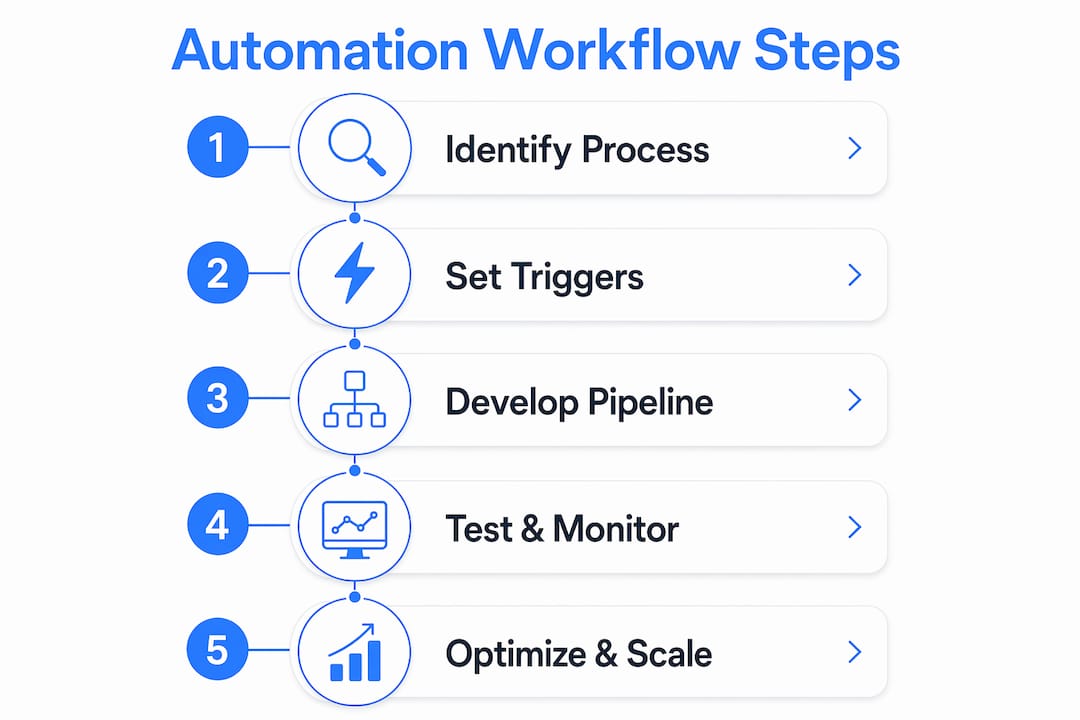
How to plan and safely roll out automation workflows
Rolling out automation without a testing phase is one of the most common mistakes founders make. A rushed deployment can trigger duplicate payments, send incorrect customer communications, or corrupt your accounting records. The fix is a structured rollout that earns trust before taking action.
Follow these four steps to deploy any new automation pipeline safely:
-
Map the process manually first. Spend one week documenting every step a human currently takes, including the exceptions. Note what happens when an invoice is disputed, when a payroll input is missing, or when a contract arrives in an unexpected format. These edge cases are where automation breaks.
-
Run in read-only mode for two weeks. Configure the pipeline to observe and log what it would do, without writing any data or sending any messages. Running in read-only mode catches edge cases that your manual mapping missed. Fixing a mistaken summary is far easier than unsending an email or reversing a payment.
-
Add human override points at every risky step. Before the pipeline sends a customer-facing message or triggers a financial transaction, route it through a human approval queue. Staged permissions with human overrides reduce costly errors and increase adoption across your team.
-
Enable full automation gradually. Start with the lowest-risk actions, like internal notifications or read-only reports. Expand write access only after two to four weeks of clean output. Use a staged rollout with audit mode to map where team time is spent and confirm the automation is handling those tasks correctly.
Pro Tip: Build error alerts into every pipeline from day one. If a pipeline fails silently, you will not know until a customer complains or a payment is missed. Set up Slack or email alerts for any exception, and review them weekly.
Security matters during rollout too. When connecting tools to your accounting system or bank, enforce least-privilege access. Each integration should only read or write the data it needs, nothing more. Short cutover windows with read-only freeze periods prevent data corruption during migrations and keep your reconciliation clean.
Which finance tools make the best automation stack for startups?
The three platforms that dominate startup finance stacks in 2026 are Mercury, Ramp, and Brex. Each solves a different problem, and stacking these tools is increasingly common among scaling startups and small businesses.
Mercury is a banking-first platform built for startups. It offers FDIC-insured accounts, treasury management, and clean API access that makes it easy to connect to your automation stack. Ramp focuses on spend controls and expense automation. Its receipt matching, policy enforcement, and accounting integrations reduce the manual work of closing your books each month. Brex targets companies with global operations, offering multi-currency corporate cards, international payments, and AI-powered expense categorization.
| Tool | Core strength | Best for | Automation features |
|---|---|---|---|
| Mercury | Banking and treasury | Early-stage startups | API access, automated transfers, virtual cards |
| Ramp | Spend controls | Teams managing expenses | Auto-categorization, receipt matching, ERP sync |
| Brex | Global finance | Scaling or international teams | AI expense review, multi-currency, policy automation |
| QuickBooks | Accounting and forecasting | All stages | AI cash flow forecasts, payroll, tax prep |
Most founders start with Mercury for banking and QuickBooks for accounting, then add Ramp once their team grows past five people and expense volume increases. Brex makes sense when you are paying contractors or vendors in multiple currencies. The point is not to use all four at once. Add each tool when the problem it solves becomes a real bottleneck.
Business process automation costs scale with complexity. Simple integrations between two tools run $2,000 to $10,000. Multi-system orchestration across your full stack can reach $15,000 to $75,000. Modern no-code and low-code tools have compressed both cost and timeline significantly, making this accessible for startups well before Series A.
How to implement AI-powered cash flow forecasting in your stack
Cash flow forecasting is not passive reporting. It requires a control-plane mindset: you decide which future transactions to include, set thresholds that trigger alerts, and adjust the model as your business changes. The tools that do this well are QuickBooks and Trezy.
QuickBooks AI cash flow forecasts use up to two years of historical transaction data to generate 13-week and monthly views. You can customize each forecast by adding planned events like a large vendor payment or an expected customer deposit, and by adjusting individual transactions that the model may have misclassified. This level of control means your forecast reflects your actual business, not just a statistical average.
Trezy connects to QuickBooks via secure OAuth and provides 27+ live KPIs, a real-time profit and loss view, 12-month cash flow projections, and supplier intelligence. Daily automatic syncs keep your data current without any manual exports. For a founder who checks cash position every morning, this replaces a spreadsheet and a 30-minute reconciliation with a single dashboard.
Here is how to integrate forecasting into your decision-making workflow:
- Set a weekly cash review cadence. Review your 13-week forecast every Monday. Flag any week where projected cash drops below your operating reserve threshold.
- Connect forecast alerts to your communication tools. Route low-balance alerts from QuickBooks or Trezy to a dedicated Slack channel so your finance lead sees them immediately.
- Adjust for known future events. Before a large hire, a product launch, or a tax payment, update your forecast manually. The AI model does not know about decisions you have not made yet.
- Use supplier intelligence to time payments. Trezy's supplier data shows payment patterns across your vendor base, helping you time outgoing payments to protect cash without damaging supplier relationships.
The practical advantage of live KPIs over monthly reports is speed. When you see a cash shortfall forming three weeks out, you have time to accelerate collections, delay a discretionary purchase, or draw on a credit line. Monthly reports show you the problem after it has already happened.
What are common challenges when scaling a back-office automation stack?
The most common failure mode in back-office automation is building only for the happy path. A pipeline that works perfectly when every input is clean and every system responds on time will fail the moment an invoice arrives in an unexpected format or an API call times out. Explicit error handling and typed exception management are not optional features. They are the difference between automation that runs reliably and automation that creates more work than it saves.
"Ignoring edge cases leads to failures and operational disruption. Build exception handling into every pipeline from the start, not as an afterthought."
Weekly telemetry review is the practice that keeps your stack healthy over time. Set aside 30 minutes each week to review error logs, failed runs, and any alerts that fired. This habit catches small problems before they compound. Avoiding over-automation of the happy path and maintaining that weekly review cycle are the two practices that separate teams with reliable automation from teams constantly firefighting.
Additional best practices to follow as you scale:
- Maintain human oversight on financial outputs. Any pipeline that moves money or sends customer-facing communications should have a human review step until it has run cleanly for at least 60 days.
- Choose the right automation type for each task. Workflow automation suits structured API-based tasks, while robotic process automation (RPA) works better for legacy systems with no API access. Mixing them without a clear rationale creates maintenance debt.
- Document every pipeline. Write down what each pipeline does, what data it reads and writes, who owns it, and what to do when it fails. This documentation becomes critical when a team member leaves or a tool changes its API.
- Scale gradually. Add one new pipeline per month rather than automating everything at once. Each new pipeline introduces new failure modes, and your team needs time to build confidence in each one before taking on the next.
Key takeaways
A well-built startup back-office automation stack starts with simple, high-frequency processes and scales through careful tool selection, staged rollouts, and consistent exception handling.
| Point | Details |
|---|---|
| Start with invoice follow-up | It has clear triggers and measurable outcomes, making it the fastest path to visible ROI. |
| Run read-only mode first | Two weeks of observation catches edge cases before your pipeline takes any real action. |
| Stack specialized finance tools | Mercury, Ramp, and Brex each solve a distinct problem; combine them as your needs grow. |
| Automate cash flow forecasting | QuickBooks and Trezy together provide live KPIs and 12-month projections that replace manual spreadsheets. |
| Build exception handling in from day one | Silent failures in automation cause more damage than no automation at all. |
Why patience is the real competitive advantage in back-office automation
I have watched founders rush their automation rollouts and spend months cleaning up the mess. The ones who move carefully, starting with one pipeline, running it in read-only for two weeks, and reviewing telemetry weekly, end up with stacks that actually run without supervision. The ones who automate everything at once spend more time managing their automation than they saved.
The invoice follow-up pipeline is where I always recommend starting, and not just because it is simple. It is because the ROI is immediate and visible. When you cut your average days to payment, you feel it in your bank account within the first billing cycle. That early win makes it much easier to get buy-in from your team for the next pipeline.
The finance stack itself is converging toward something closer to a full financial operating system. Mercury, Ramp, and Brex are all adding AI features that overlap with each other and with QuickBooks. In two to three years, the lines between banking, expense management, and forecasting will blur significantly. The founders who build clean, well-documented stacks now will be positioned to absorb those changes without rebuilding from scratch.
The governance side of automation is underrated. Knowing which pipelines run, what data they touch, and who owns them is not just good practice. It is what lets you scale your team without losing control of your operations.
— Tyler
How Interval-ai can handle your most time-sensitive back-office workflow
If overdue invoices are the first pipeline you want to automate, Interval-ai is built specifically for that problem. Interval-ai uses AI and historical payment data to tailor outreach strategies to each customer, managing follow-up communications across email, SMS, and other channels automatically. Clients report reducing days to payment by over 30 days and recovering significant revenue without adding headcount.

Interval-ai integrates with your existing finance tools and fits naturally into the back-office automation stack you are building. You do not need to replace your current setup. You add Interval-ai where the gap is. If your team is spending hours each week chasing overdue payments, that time cost is exactly what Interval-ai is designed to eliminate. See how it works and whether it fits your current stack.
FAQ
What is a startup back-office automation stack?
A startup back-office automation stack is a set of independent automation pipelines covering financial, payroll, and operational workflows that share data but run separately. Each pipeline handles one process end-to-end, reducing manual work and improving operational efficiency.
Which tools should I start with for back-office automation?
Most startups begin with QuickBooks for accounting, Mercury for banking, and an invoice follow-up automation tool. Ramp or Brex can be added once expense volume grows and spend controls become a priority.
How long does it take to see ROI from back-office automation?
Starting with a high-frequency process like invoice follow-up typically produces measurable results within the first billing cycle. Reducing days to payment is one of the fastest and most visible returns from automation for startups.
What is the biggest risk when automating back-office processes?
The biggest risk is building automation that only handles the expected scenario without accounting for exceptions. Silent failures in pipelines that move money or send customer communications can cause significant operational and financial damage.
Do I need a developer to build a back-office automation stack?
Not necessarily. Many startups use no-code tools like Zapier or Make to connect QuickBooks, Mercury, and Ramp without writing code. More complex multi-system orchestration may require a developer or an automation consultant, with costs starting around $2,000 for simple integrations.
