
AI-Powered Tools for Tracking Disputed Invoices

Published: August 9, 2026 · 8–9 min read
Use an AI-enabled dispute-management module integrated with your AR or ERP system to track disputed invoices end-to-end. That single decision cuts manual follow-up, keeps disputed accounts out of your dunning queue automatically, and gives every team member a shared, timestamped record of what happened and why. Interval-ai is the recommended option for finance teams that want this capability without hiring additional collections staff.
The immediate benefits of moving to a purpose-built solution are concrete:
- Faster resolution: AI auto-classification routes disputes to the right owner within minutes, not days.
- Fewer manual escalations: SLA rules trigger automatic handoffs before anything falls through the cracks.
- Automatic dunning exclusion: Disputed invoices are flagged and held back from reminder sequences until resolved.
- Full audit trail: Every status change, document attachment, and communication is logged with a timestamp.
- Reduced days-to-payment: Interval-ai aims to reduce days-to-payment substantially for clients using its automated collections and dispute workflows.
Pro Tip: Before your next vendor demo, pull three real disputed invoices from the past 90 days and ask the vendor to walk through each one live. You will learn more in 20 minutes than in any slide deck.
What features must every tool for tracking disputed invoices include?
Not every platform marketed as "invoice dispute management" actually handles the full lifecycle. Here is the feature checklist finance teams should use to screen vendors quickly.
| Feature | Why it matters to AR teams |
|---|---|
| Dispute categorization | Standardizes reason codes so you can spot patterns and fix root causes |
| Status tracking | Gives every stakeholder a real-time view without email chains |
| Unified history and audit trail | Satisfies internal controls and external audit requests |
| Document linking | Attaches POs, contracts, and proof of delivery directly to the dispute record |
| AI auto-classification | Reduces manual triage time and improves routing accuracy |
| Auto-assign and routing | Sends disputes to the right owner based on type, amount, or customer segment |
| SLA and escalation rules | Prevents disputes from aging unnoticed |
| Auto-exclusion from dunning | Stops reminders to customers with open disputes, protecting relationships |
| ERP/AR/CRM integrations | Keeps dispute data synchronized with your general ledger and customer records |
| Payment method updates | Allows customers to resolve payment issues without calling your team |
| Reporting and KPIs | Tracks dispute aging, resolution time, and DSO impact in one dashboard |
| Security and compliance | SOC 2 certification and encryption protect sensitive financial data |
Platforms like Paysetra illustrate what centralized dispute tracking looks like in practice: a single workspace where disputes are created, tracked, collaborated on, and closed with a complete action history. Invoice status tracking and reminder automation, as seen in tools like BILL and Square Invoices, are table-stakes capabilities that any dispute-management layer must connect to. Payment orchestration portals, such as the merchant portal at Cadency, show the kind of payment-gateway connections worth testing during evaluation.
How do you choose the right invoice dispute management tool?
Use this consolidated framework in your RFP or demo process.
Evaluation criteria:
- Automation level: Can the tool auto-classify, auto-assign, and auto-exclude from dunning without manual triggers?
- Integrations: Does it connect natively to your ERP, AR platform, and CRM? Check for published API documentation and SDKs. Vendor GitHub repositories sometimes surface integration samples and community code worth reviewing.
- Security and compliance: Is the vendor SOC 2 certified? Is data encrypted in transit and at rest?
- Scalability: Can it handle your invoice volume during peak periods without performance degradation?
- Pricing model and TCO: Is pricing tied to invoice volume, user seats, or AR balance? Understand what triggers cost spikes.
- Support and SLA: What is the vendor's escalation path? Is there a documented uptime commitment?
- Reported ROI: Ask for case studies showing measurable outcomes: reduced days-to-payment, time saved per dispute, or DSO improvement.
Questions to ask during demos:
- "How does your AI classify dispute reasons, and can I see the confidence score or audit log for each decision?"
- "Can you walk through an end-to-end AR/ERP reconciliation for a disputed invoice using our data?"
- "What happens when a dispute is not resolved within the SLA window?"
- "Which payment gateways and payment orchestration platforms do you integrate with natively?"
Red flags to watch for:
- Black-box AI with no audit trail for classification decisions
- No native ERP or AR connectors (CSV imports are not integrations)
- No documented SLA on escalation or uptime
- No demo data or published case studies
- Pricing that balloons unpredictably with invoice volume
Trust signals to prefer: verified G2 reviews with ROI claims, a demo or pilot offer using real invoices, SOC 2 certification, documented integration partners, and published uptime commitments.
Practical steps to implement dispute-tracking tools and speed adoption
A phased rollout reduces disruption and gets your team to measurable results faster.
Days 1–30 (quick wins):
- Configure your dispute categories and reason codes based on your last 90 days of disputes.
- Set auto-exclusion rules so disputed invoices stop triggering dunning immediately.
- Map current handoffs: who owns a dispute at each stage, and where does it stall today?
Days 31–60 (integrations and SLAs):
- Connect the tool to your ERP and AR platform. Prioritize invoice number matching and customer master data synchronization.
- Define SLA windows for each dispute type and configure escalation paths.
- Check the vendor's API documentation or available SDKs to confirm your payment gateway connections work as expected.
Days 61–90 (reporting and improvement):
- Build your dispute aging and resolution-time dashboards.
- Review your first 60 days of data: which reason codes appear most often, and which take longest to resolve?
- Adjust SLA windows and routing rules based on what you observe.
Pro Tip: Assign one internal champion per team (AR, sales, customer success) before go-live. When a dispute crosses department lines, a named owner on each side prevents the "not my problem" delay that kills resolution time.
Change management is the part most teams underestimate. The tool will not fix a process where nobody owns the outcome. Define ownership before you configure the software, not after.
Key Takeaways
AI-powered dispute-management tools integrated with your AR and ERP system are the most direct path to faster invoice resolution, cleaner audit trails, and measurable DSO improvement.
| Point | Details |
|---|---|
| Prioritize integration first | Native ERP and AR connectors keep dispute data synchronized without manual reconciliation. |
| Run a short pilot with real invoices | Test auto-classification and routing on actual disputes before committing to a full rollout. |
| Standardize dispute reason codes | Consistent categories surface root causes and make reporting meaningful from day one. |
| Measure dispute aging and DSO | Track resolution time and days-to-payment to quantify the tool's impact on cash flow. |
| Interval-ai as your starting point | Interval-ai claims to reduce days-to-payment by over 30 days with AI-driven dispute workflows and no added headcount. |
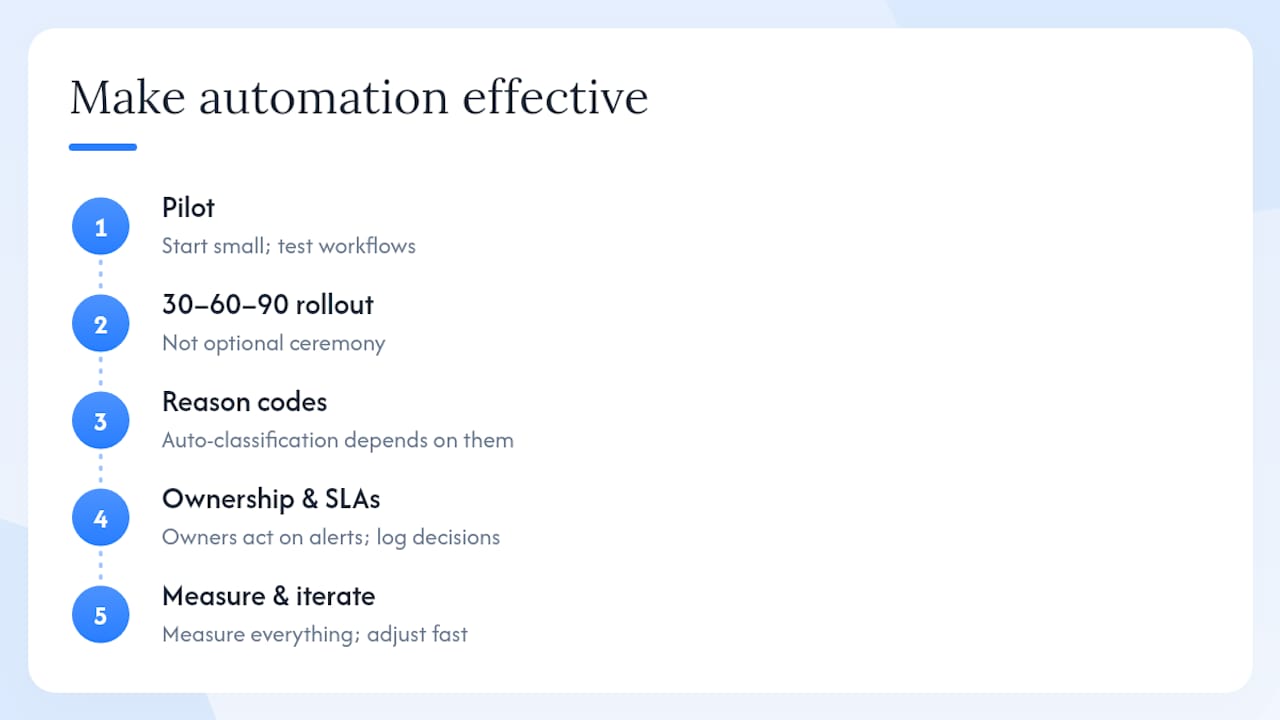
Why automation alone is not enough
Most finance teams I speak with expect the software to do all the work. The tools that actually move the needle share one thing: a team that treats the process with the same discipline the software enforces.
Auto-classification is only as good as the reason codes you define. Escalation rules only fire if someone acts on the alert. The audit trail only protects you if your team logs decisions consistently. Every high-performing AR operation I have seen pairs the automation with clear ownership, tight SLAs, and a culture where unresolved disputes are visible to leadership, not buried in a spreadsheet.
The contrarian view worth stating plainly: buying dispute-tracking software without fixing your handoff process first will automate your existing confusion, not replace it. The 30–60–90 day rollout framework in this article is not optional ceremony. It is the difference between a tool that collects dust and one that cuts your days-to-payment by a month.
Start with the pilot. Measure everything. Adjust fast.
Interval-ai handles disputed invoices so your team does not have to
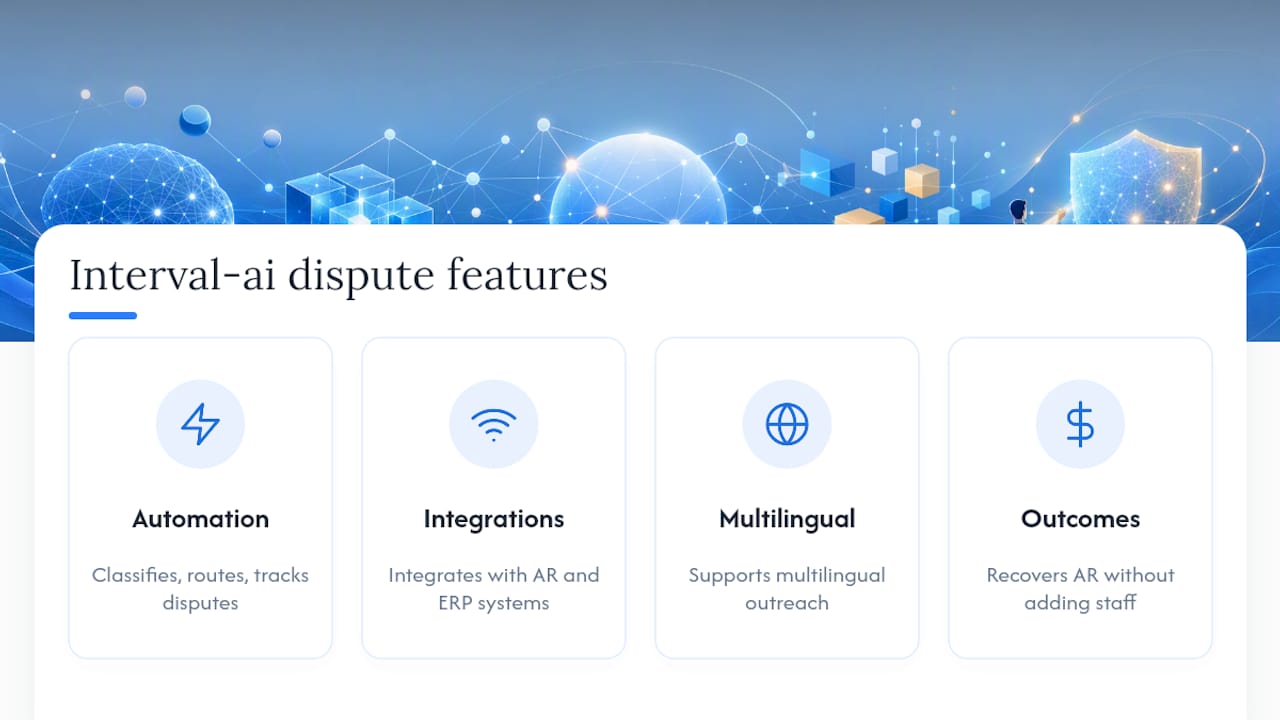
Finance teams that have spent months chasing disputed invoices manually know the real cost: staff hours, strained customer relationships, and cash sitting idle. Interval-ai gives you AI-powered dispute workflows that classify, route, and track every disputed invoice automatically, keeping your team focused on resolution rather than administration.

Interval-ai integrates with your existing AR and ERP systems, supports multilingual outreach, and maintains a full audit log for every automated decision. Clients report reducing days-to-payment significantly and recovering significant AR balances without adding staff. The platform is built for small and mid-sized businesses that need enterprise-grade dispute management without the enterprise price tag.
Request a demo and walk through your real disputed invoices with the Interval-ai team. See the classification, routing, and audit trail in action before you commit.
Useful sources
FAQ
How do you track a disputed invoice?
Assign the invoice a dispute record in your AR or dispute-management platform, log the reason code, attach supporting documents, and set an SLA timer. Tools like Interval-ai automate the classification and routing steps so the record is created and assigned without manual entry.
What is dispute tracking in accounts receivable?
Dispute tracking is the process of recording, monitoring, and resolving customer claims against invoices, including the reason, status, owner, and resolution history. A dedicated module keeps disputed invoices visible and out of your dunning queue until the issue is closed.
What are the main types of invoice disputes?
The four most common categories are pricing or rate discrepancies, quantity or delivery shortfalls, duplicate invoices, and billing errors such as wrong customer or PO number. Standardizing these as reason codes in your dispute tool makes root-cause analysis straightforward.
How do you deal with disputed invoices efficiently?
Use a purpose-built invoice dispute management tool that auto-classifies the dispute, routes it to the right owner, and enforces SLA windows. Pairing automation with clear ownership and defined escalation paths consistently reduces resolution time compared to managing disputes by email.
What red flags should you watch for when evaluating dispute software?
Avoid vendors that offer no audit trail for AI decisions, no native ERP connectors, and no published case studies or demo data. Pricing that scales unpredictably with invoice volume is also a warning sign worth clarifying before signing a contract.
