
What Is Accounts Receivable Automation for SMBs
Published: June 10, 2026 · 9–10 min read
TL;DR:
- Accounts receivable automation uses software to handle invoicing, reminders, and cash reconciliation, replacing manual workflows. It accelerates cash collection, reduces errors, and lowers labor costs by automating key collection processes with AI and structured workflows. Successful implementation requires data standardization, phased deployment, and ongoing monitoring to optimize cash flow and team efficiency.
Accounts receivable automation is software-driven technology that handles invoicing, payment tracking, and cash reconciliation without manual intervention, replacing the slow and error-prone spreadsheet workflows that keep cash tied up in unpaid invoices. Known in finance circles as AR automation, this approach covers the full order-to-cash cycle: generating invoices, delivering them across email or SMS, sending scheduled payment reminders, and matching incoming payments to open balances. The global AR automation market was valued at US$2.5 billion in 2022 and is forecast to reach nearly US$5 billion by 2029, with cloud-based solutions holding over 80% market share. That growth reflects a simple reality: businesses that automate their AR process collect money faster, with less staff time, and with fewer costly errors.

What is accounts receivable automation and how does it work?
AR automation replaces manual steps in the collections cycle with software logic that runs on rules, schedules, and AI. The workflow typically unfolds in four connected stages.
-
Automated invoice creation. When a sale closes or a service completes, the system generates an invoice using data pulled directly from your CRM or ERP. No one types amounts, due dates, or customer addresses. The invoice goes out branded with your logo and contact details, delivered by email or SMS based on customer preference.
-
Scheduled payment reminders. The system monitors due dates and sends reminders at preset intervals: seven days before due, on the due date, and at three-day intervals after. Silence from a customer reads as permission to wait, so consistent automated follow-up removes that ambiguity. Reminders can be personalized by customer segment, invoice size, or payment history.
-
Intelligent cash application. When payment arrives, the system matches it to the correct open invoice. AI-driven matching engines can auto-match more than 90% of bank deposits against invoices, cutting the manual cash application effort that is the single biggest bottleneck in the cash cycle.
-
Reconciliation and reporting. Matched payments update your ledger automatically. Exceptions, such as partial payments or unidentified remittances, are flagged for human review rather than left sitting in an unapplied cash queue.
Pro Tip: Set up your reminder cadence before you go live. A well-timed sequence of three to four touchpoints, spaced across the invoice lifecycle, recovers more payments than a single overdue notice sent two weeks late.
What are the key benefits of AR automation?
The measurable impact of automating your AR process goes well beyond saving time on data entry.
-
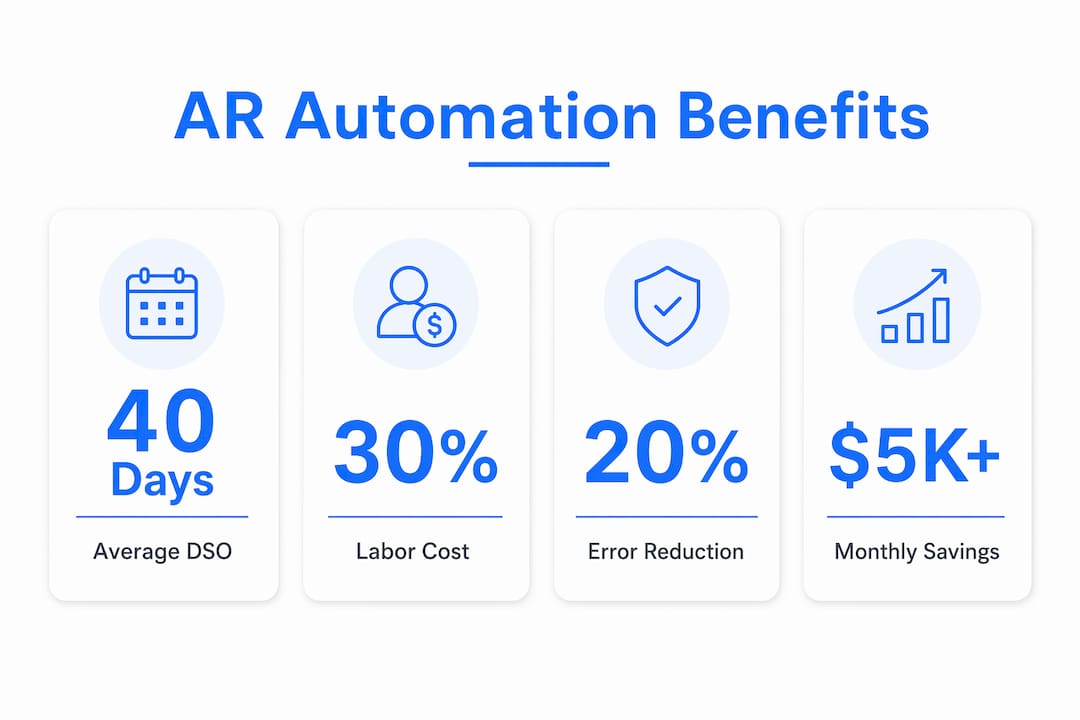
Faster cash collection. Firms that adopt automated AR processes achieve an average DSO of 40 days versus 47 days for manual processes. That seven-day improvement in Days Sales Outstanding means real working capital freed up every month.
-
Reduced labor costs. When invoicing, reminders, and cash application run automatically, your finance team stops doing repetitive data entry and starts managing exceptions. Interval-ai clients report saving thousands of dollars in payroll costs annually by removing manual follow-up tasks from staff workloads.
-
Fewer errors. Manual invoice entry produces transposition mistakes, wrong amounts, and misapplied payments. Automated systems pull data directly from source records, so the invoice your customer receives matches exactly what your system expects to collect.
-
Better customer experience. Customers receive professional, consistent communications on a predictable schedule. They can pay through a self-service portal rather than calling your office to ask for a copy of an invoice they lost.
-
Stronger audit trails. Every invoice sent, reminder delivered, and payment matched is logged with a timestamp. This creates the documentation your auditors need and supports compliance with e-billing regulations in markets that require structured invoice formats.
"87% of businesses that adopt AR automation report improved process speed, making it one of the highest-impact operational changes an SMB finance team can make."
The combination of faster collections, lower labor costs, and reduced errors compounds quickly. A business collecting $500,000 per month that cuts DSO by seven days frees up roughly $116,000 in working capital that was previously sitting in unpaid invoices.
How do basic AR tools compare to advanced solutions?
Not all accounts receivable automation tools deliver the same results. Understanding the difference helps you choose the right level for your business.
| Feature | Basic AR automation | Advanced AR automation |
|---|---|---|
| Invoice generation | Standard templates, manual triggers | Dynamic templates, auto-triggered by ERP/CRM events |
| Payment reminders | Fixed schedule, generic messaging | Prioritized by balance size, customer segment, and payment history |
| Cash application | One-to-one invoice matching | AI matching handles partial payments, bulk remittances, discounts, and FX |
| Dispute management | Manual, untracked email threads | Structured workflows with ownership, SLAs, and audit trails |
| Escalation logic | None or manual | Automated escalation with human-in-the-loop steps |
| Reporting | Basic aging reports | Real-time dashboards with collector performance and DSO trends |
Basic tools, including the native AR modules in platforms like QuickBooks or entry-level ERP configurations, handle standard invoicing and simple reminders well. Their limitation is that real-world payment matching requires logic beyond one-to-one matching. Partial payments, early payment discounts, bank fees, and foreign exchange differences all create exceptions that basic tools leave for a human to sort out manually.
Advanced platforms handle these scenarios automatically. They apply configurable rules to resolve short-pays and fees, flag currency conversion differences for review, and route genuinely disputed invoices into a structured dispute workflow. Dispute management without a structured workflow leads to resolution times three times longer than structured processes, and aging reports that misrepresent your true collections position.
Native ERP AR modules often lack true dunning sequences with prioritization, escalation logic, and human-in-the-loop steps. Businesses that rely solely on their ERP's built-in AR tools frequently find themselves doing manual work that the software was supposed to eliminate.
Pro Tip: Before evaluating any AR automation tool, list your top five recurring exceptions: partial payments, disputed invoices, unapplied cash, foreign currency payments, and credit memo offsets. Any platform you consider should handle at least three of those five without manual intervention.
What steps should SMBs take to implement AR automation?
A phased, process-first approach produces better results than buying software and hoping it fixes a disorganized workflow.
-
Standardize your data before you automate. Digitizing credit applications with complete contact information, including accounts payable email addresses and payment portal logins, prevents wasted collection effort. Automation cannot chase a payment if it does not have a valid contact to reach.
-
Map your current AR pain points. Identify where time is being lost today. Is it invoice delivery? Cash application? Dispute resolution? The answer determines which AR subprocess to automate first and which tool features matter most.
-
Assess integration requirements. Your AR automation platform needs to connect to your accounting system, whether that is QuickBooks, Xero, NetSuite, or a custom ERP. Confirm the integration method, API availability, and data sync frequency before committing to any vendor.
-
Start with high-impact subprocesses. Most SMBs see the fastest return by automating invoice delivery and payment reminders first. These two steps alone reduce DSO without requiring complex configuration. Add cash application automation in phase two once your team is comfortable with the platform.
-
Train staff on exception management. Automation handles the routine work. Your team's new job is reviewing flagged exceptions, managing disputes, and making judgment calls on accounts that need personal outreach. Train them on the dashboard, the escalation workflow, and how to interpret real-time aging data.
-
Monitor and adjust continuously. Set a monthly review of DSO, collection rate by segment, and exception volume. If exceptions are climbing, the matching rules need refinement. If DSO is not improving, the reminder cadence may need adjustment.
Automation shifts human roles from manual entry to managing exceptions via real-time dashboards, which improves strategic collections without adding headcount.
Key takeaways
AR automation reduces DSO, cuts labor costs, and improves cash flow by replacing manual invoicing and collections tasks with software-driven workflows that handle the routine and flag the exceptions.
| Point | Details |
|---|---|
| DSO improvement | Automated AR achieves an average DSO of 40 days versus 47 days for manual processes. |
| AI cash application | Advanced matching engines auto-match over 90% of deposits, eliminating the biggest cash cycle bottleneck. |
| Dispute workflow matters | Unstructured dispute handling leads to resolution times three times longer than structured workflows. |
| Start with data quality | Digitizing credit applications with full contact details is the foundation for effective automation. |
| Phased implementation | Automate invoice delivery and reminders first, then add cash application in a second phase. |
Why I think most SMBs underestimate what AR automation actually requires
Most business owners I speak with assume AR automation means setting up a few email reminders and calling it done. That mindset leads to disappointment. The real value of automating your accounts receivable process comes from the layers underneath: intelligent cash application, structured dispute workflows, and prioritized collections logic that focuses your team's attention on the accounts most likely to pay if contacted today.
The businesses that get the most out of AR automation are not the ones with the most sophisticated software. They are the ones that did the preparation work first. They cleaned up their customer contact data, standardized their invoice formats, and defined their escalation rules before they turned anything on. Software amplifies whatever process you feed it. A clean process becomes faster and more consistent. A messy process becomes a faster mess.
I also think the human element gets underestimated. Automation does not remove humans from AR. It frees them to focus on the accounts that genuinely need judgment: the long-term customer who is struggling, the dispute that requires a commercial decision, the payment plan that needs negotiation. That is higher-value work than manually keying remittance data, and it is where your finance team should be spending their time.
Choose a platform that gives you real-time visibility into your AR position, not just a static aging report once a week. The businesses that improve their DSO consistently are the ones making decisions based on current data, not last Tuesday's export.
— Tyler
See how Interval-ai handles the hard parts of AR automation

If you have read this far, you already know that basic invoicing tools are not enough. The gap between sending reminders and actually collecting faster comes down to intelligent payment matching, structured dispute management, and collections logic that prioritizes the right accounts at the right time. Interval-ai is built specifically to close that gap for SMBs. The platform uses AI-driven outreach tailored to your customers' historical payment behavior, manages communications across email and SMS, and gives your team a clear dashboard of what needs attention today. Clients report reducing days to payment by over 30 days and recovering significant revenue without adding staff.
FAQ
What is accounts receivable automation?
Accounts receivable automation is software technology that handles invoicing, payment reminders, cash application, and reconciliation without manual intervention. It replaces spreadsheet-based collections workflows to accelerate cash flow and reduce errors.
How does receivable automation improve cash flow?
Automated AR processes achieve an average DSO of 40 days versus 47 days for manual processes, freeing working capital that would otherwise sit in unpaid invoices. Consistent, scheduled reminders also reduce the number of invoices that go past due in the first place.
What is the difference between basic and advanced AR automation tools?
Basic tools handle standard invoicing and fixed reminder schedules. Advanced platforms add AI-powered cash application, structured dispute workflows with ownership and deadlines, and prioritized collections logic that focuses effort on the highest-value overdue accounts.
Do I need to replace my accounting software to automate AR?
No. Most AR automation platforms integrate with existing accounting systems like QuickBooks, Xero, or NetSuite via API. The AR tool handles collections workflows while your accounting system remains the financial record of truth.
How long does it take to implement AR automation for an SMB?
Most SMBs can automate invoice delivery and payment reminders within two to four weeks. Full cash application automation, including exception handling and dispute workflows, typically takes one to three months depending on ERP complexity and data quality.
