
What Is Back-Office Automation for Small Businesses
Published: May 25, 2026 · 10–11 min read
TL;DR:
- Back-office automation helps SMBs streamline repetitive tasks like invoicing and payroll, reducing costs and cycle times significantly. Modern AI-driven tools enable implementation without extensive IT support, allowing small businesses to reallocate staff to higher-value activities. Starting with one cash flow-related process, documenting workflows first, ensures successful automation and long-term efficiency gains.
If you've been wondering what is back-office automation and whether it actually applies to your business, you're not alone. Most SMB owners assume it's expensive software built for corporations with IT departments. That assumption is costing them real money. Back-office automation covers the administrative and operational work that keeps your business running but rarely touches your customers directly. Think payroll, invoicing, compliance tracking, and data entry. In 2026, accessible AI tools have made this kind of automation practical and affordable for businesses of every size.
Key Takeaways
| Point | Details |
|---|---|
| Automation isn't just for big companies | SMBs can start with existing tools like Microsoft 365 to automate repetitive tasks at low cost. |
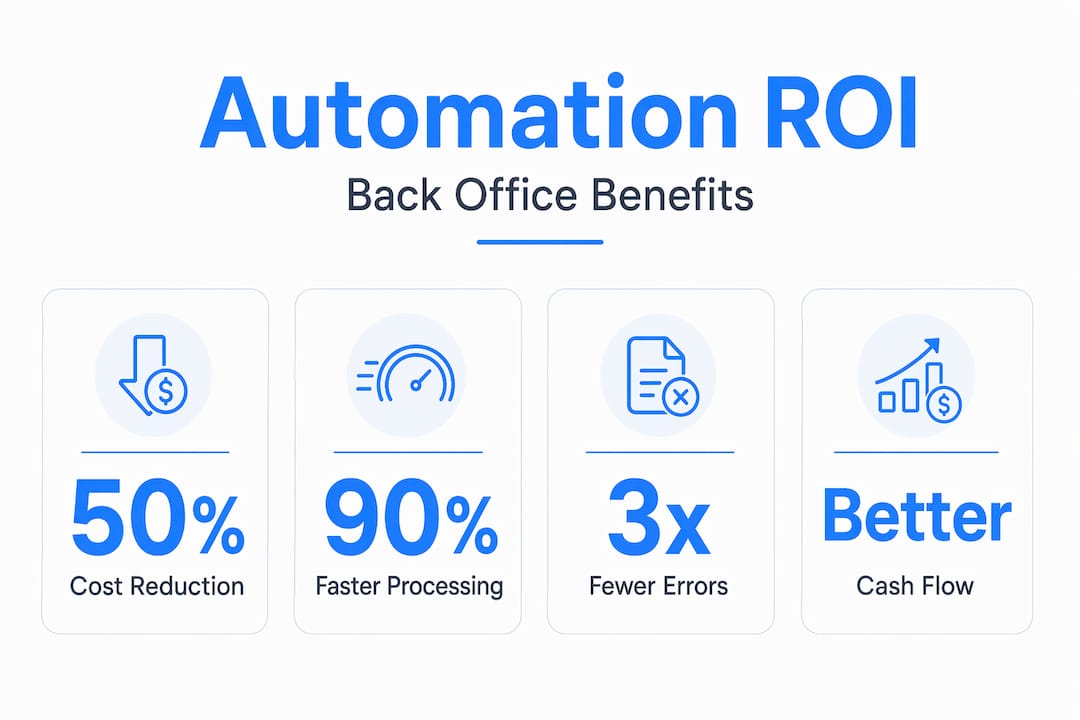
| Real cost savings are documented | Organizations report 30-50% reductions in processing costs through back-office automation. |
| Process first, technology second | Simplifying and standardizing your processes before automating prevents spreading bad workflows faster. |
| AI agents outperform old RPA | AI-driven systems deliver 300-400% ROI over 3 years versus 150-200% for traditional automation tools. |
| Cash flow improves measurably | Automated invoicing and collections workflows accelerate payment cycles and reduce days outstanding significantly. |
What is back-office automation: key components and processes
Back-office automation is the use of technology to handle administrative and operational tasks that support your business without directly involving customers. These are the processes happening behind the scenes every day: generating invoices, processing payroll, managing compliance documents, reconciling accounts, and entering data across systems.
The distinction between front-office and back-office functions matters here. Your front office is anything customer-facing: sales calls, customer support, service delivery. Your back office is everything that makes the front office possible. When those back-office tasks pile up or get handled inconsistently, the whole operation slows down.
Common back-office processes that businesses automate include:
- Invoice generation and payment follow-up: Automatically creating invoices when a job closes and sending reminders on a scheduled cadence
- Payroll processing: Calculating hours, deductions, and tax withholdings without manual spreadsheet work
- Data entry and record syncing: Pushing information from one system into another without human copy-paste work
- Compliance tracking: Flagging license renewals, regulatory deadlines, and reporting requirements before they become problems
- Accounts receivable management: Tracking overdue balances and triggering outreach based on payment history
The technologies powering these workflows have changed significantly. Traditional Robotic Process Automation (RPA) tools followed rigid, rule-based scripts. They worked but broke easily when anything changed. Today, agentic AI systems can navigate legacy systems and web portals at the user interface level, which means they do not require clean API connections to get started. No-code platforms and AI features embedded directly in tools you already use round out the current toolkit for SMBs.
Back-office automation benefits for SMBs
The business case for automating your back office is not theoretical. The numbers from real organizations are hard to ignore.

Processing costs drop 30-50% when companies automate core administrative functions, and workload reduction typically falls between 20 and 40 percent. That is not a marginal improvement. For a small business where one person handles billing, follow-ups, and payroll simultaneously, even a 25 percent reduction in that workload changes what is possible in a week.
Cycle times shrink even faster. Some organizations have reported cycle time reductions between 50% and 90% after implementing AI-driven workflows. Wales Air Ambulance, as a specific documented example, saw a 92 percent reduction in administrative time. That kind of gain changes how teams spend their days.
Key stat: AI agent-based automation delivers 300-400% ROI within 3 years compared to 150-200% for traditional RPA tools, with straight-through processing rates of 85-95% versus 40-60% for older methods.
Beyond time and cost, the back-office automation benefits that matter most for SMBs often come down to accuracy and cash flow. Manual data entry produces errors. Errors create disputes, delayed payments, and compliance exposure. Automated workflows execute the same process the same way every time. Your invoices go out on time. Your follow-ups happen consistently. Silence from a customer reads as permission to wait, and your automated system does not let that happen.
The workforce impact is also worth naming clearly. Successful automation reallocates staff to exception handling and higher-value work rather than eliminating jobs. For SMBs, this usually means your billing coordinator spends time resolving genuine payment disputes instead of manually sending the same reminder email for the third time.
Pro Tip: Before calculating your automation ROI, track exactly how many hours per week your team spends on the top five repetitive tasks. That baseline number will clarify your actual savings once automation is running.
How back-office automation works in practice
Understanding the importance of back-office automation is one thing. Knowing how it actually works gives you the confidence to move forward. Here is a practical breakdown of how modern automation systems operate.
-
Process mapping and simplification. Before any technology is applied, the workflow needs to be documented and cleaned up. Automating broken processes accelerates inefficiency rather than fixing it. If your invoice approval process has five redundant steps, automate it after removing those steps, not before.
-
Trigger identification. Every automated workflow starts with a trigger. A completed job order triggers invoice creation. A missed payment date triggers a follow-up message. You define the rules; the system executes them without prompting.
-
Integration and execution. Modern tools connect your systems through APIs or, when clean integrations are not available, through UI-level execution that works like a very fast, very consistent human operator. The workflow pulls data from one system, acts on it, and pushes results to another.
-
Exception routing. Not every transaction fits neatly into a rule. Human-in-the-loop triggers catch the edge cases: a payment amount that does not match the invoice, a customer flagged for dispute history, a compliance document with missing fields. These get routed to a person. Everything else processes automatically.
-
Monitoring and governance. Sustained automation requires a governance framework. Someone needs to own the system, review exception rates, and update rules when your processes change. This is not a set-it-and-forget-it tool. It is a system that rewards consistent oversight.
The shift from traditional RPA to agentic AI systems is the single biggest change in how back-office automation works in 2026. Older RPA tools required precise, fragile scripts. Intelligent Process Automation empowers finance teams with no coding experience to deploy effective workflows rapidly using natural language interfaces and pre-built templates.
Pro Tip: If you use Microsoft 365, Salesforce, or QuickBooks, check the AI features already built into those platforms before purchasing separate automation software. AI features in existing tools offer immediate gains at no additional implementation cost.
Choosing and implementing back-office automation tools
Selecting the right approach for your business does not require a technology background. It requires honest thinking about where your time and money are actually going.
Start by identifying your highest-ROI targets. Ask yourself which tasks your team does the most often, which ones cause the most errors when done manually, and which directly affect cash flow when they are delayed. Invoicing and collections almost always top that list for SMBs.
When evaluating back-office automation tools, keep these criteria in mind:
- Does it integrate with what you already use? Adding a system that creates new data silos defeats the purpose. Look for tools that connect directly to your accounting software, CRM, or project management platform.
- Can you deploy it without a developer? No-code and low-code platforms let business owners build and adjust workflows without IT support. That matters when your team is small and your needs change frequently.
- Does it handle exceptions thoughtfully? Any tool that claims 100 percent automation without exception handling is overselling. Real workflows have edge cases. A good system routes those to a human rather than failing silently.
- What does the governance model look like? You need visibility into what the system is doing, how often exceptions occur, and when rules need updating. A dashboard that surfaces this information is not optional.
- What are the realistic setup and ongoing costs? Look at total cost of ownership, not just licensing fees. Factor in the time your team will spend configuring and maintaining the system.
Avoid the mistake of automating processes that are already chaotic. Process redesign must come first, not as an afterthought after the software is installed. Clean up the workflow on a whiteboard before you touch any technology.
Set realistic expectations for your first 90 days. You are not transforming your entire operation immediately. You are proving the concept on one or two processes, measuring the time and cost impact, and building from there.
The future of back-office automation for SMBs
The trajectory is clear. Corporate functions are shifting from isolated departments to integrated platforms that execute end-to-end workflows automatically. A hiring request, for example, can trigger onboarding paperwork, system access provisioning, and payroll setup without anyone manually handing off between teams.
| Model | Traditional approach | Automated approach |
|---|---|---|
| Invoice processing | Manual creation and follow-up | Triggered automatically, tracked in real time |
| Payroll | Weekly spreadsheet reconciliation | Rules-based calculation and direct submission |
| Compliance | Deadline tracking in a shared calendar | Automated alerts and document routing |
| Collections | Staff-managed email reminders | AI-driven outreach across multiple channels |
For SMBs, the practical implication is that you do not need to build out large administrative teams to scale. Hybrid human-agent workflows handle the volume while your people handle the judgment calls. Businesses that adopt this model now will have a structural cost and speed advantage over competitors who wait.
My honest take on back-office automation
I've worked with enough small business owners to know that automation skepticism usually comes from a bad experience. Someone bought a tool, spent three months configuring it, got frustrated when it broke, and walked away convinced that this stuff is not worth the hassle. I get it.
But here is what I've observed consistently: the businesses that struggle with automation try to automate first and simplify later. They take a messy, inconsistent process and wire technology around it. When it breaks, they blame the technology. The businesses that succeed do the unsexy work first. They document the process, cut the unnecessary steps, and then automate something clean.
I've also seen SMB owners treat automation purely as a cost-cutting exercise. That framing leads to narrow decisions. The deeper opportunity is reimagining what your team does with recovered time. When your billing process runs automatically, your best people stop being data-entry operators. They become relationship managers and problem-solvers. That is a qualitatively different business.
My strongest advice: start with one process that directly affects cash flow. Collections and invoicing are the most obvious candidates. Get that working, measure it for 60 days, and then expand. The confidence that comes from one concrete win is worth more than any roadmap built in a planning meeting.
— Tyler
How Interval-ai helps SMBs automate collections
If overdue payments are where your cash flow breaks down, that is exactly where Interval-ai focuses. The platform uses AI-driven workflows to manage collections outreach across multiple channels, tailoring communication to each customer's payment history instead of sending generic reminders that get ignored.

Clients using Interval-ai's collections automation report recovering significant overdue balances without adding staff, and the platform reduces days to payment by over 30 days on average. That is a direct, measurable improvement to your cash position. If you are ready to see how automated follow-up works in practice, Interval-ai offers a clear starting point for SMBs that want results without a lengthy implementation process.
FAQ
What is back-office automation in simple terms?
Back-office automation is the use of software to handle repetitive administrative tasks like invoicing, payroll, data entry, and compliance tracking without manual effort. It frees your team to focus on work that requires judgment and direct communication.
What are the biggest back-office automation benefits for SMBs?
The most documented benefits include processing cost reductions of 30-50%, cycle time cuts of up to 90%, improved payment accuracy, and better cash flow from faster invoicing and collections cycles.
How does back-office automation work without a developer?
Modern no-code platforms and AI features built into tools like Microsoft 365 or QuickBooks allow business owners to build automated workflows using visual interfaces and templates, with no coding required.
What back-office processes should SMBs automate first?
Start with tasks that are high-volume, repetitive, and directly tied to cash flow. Invoice generation, payment follow-up, and accounts receivable management typically deliver the fastest and most measurable returns.
How do I avoid common back-office automation mistakes?
The most important rule is to simplify and standardize your process before applying any automation technology. Automating a flawed workflow spreads the problem faster. Start clean, automate one process at a time, and build governance into the system from day one.
