
What Is Business Process Automation for SMEs?
Published: June 27, 2026 · 10–11 min read
TL;DR:
- Business process automation integrates multiple systems and workflows, significantly enhancing efficiency and accuracy. It enables SMEs to handle larger volumes without proportional staffing increases, focusing staff on higher-value tasks. Successful BPA implementation requires careful mapping, gradual scaling, and disciplined process management, not just software adoption.
Business process automation (BPA) is defined as the use of technology to orchestrate complex, multi-step business workflows with minimal human intervention. Unlike simple task automation, BPA connects entire systems, people, and decisions into a single coordinated flow. Platforms like IBM, Zapier, and Tines have made this approach accessible to businesses of every size. For small and medium enterprises (SMEs), BPA is one of the most direct paths to doing more work without adding more staff. This article breaks down what BPA is, how it works, and how you can start using it today.
What is business process automation and why does it matter?
Business process automation is the technology-enabled orchestration of end-to-end workflows across multiple systems, replacing manual handoffs with automated triggers, rules, and decisions. The industry also refers to this as BPA, and it sits above simpler forms of automation in terms of scope and complexity. Where a basic automation might send one email, BPA manages the entire sequence from intake to resolution, including approvals, data transfers, and exception handling.

The practical impact is significant. Businesses using AI-driven BPA can increase revenue by nearly $200,000 through improved efficiency and service quality. That figure reflects what happens when your team stops spending hours on repetitive coordination and starts focusing on work that actually grows the business.
For SME owners, the business automation definition matters because it sets realistic expectations. BPA is not a single software purchase. It is a deliberate approach to redesigning how work moves through your organization, supported by the right tools.
What are the main benefits of business process automation for SMEs?
The benefits of business process automation fall into three clear categories: speed, accuracy, and capacity.
Speed: Automating manual process handoffs can reduce project cycle time by 33%, cutting a six-week process down to four weeks. That kind of gain compounds across every project you run in a year.
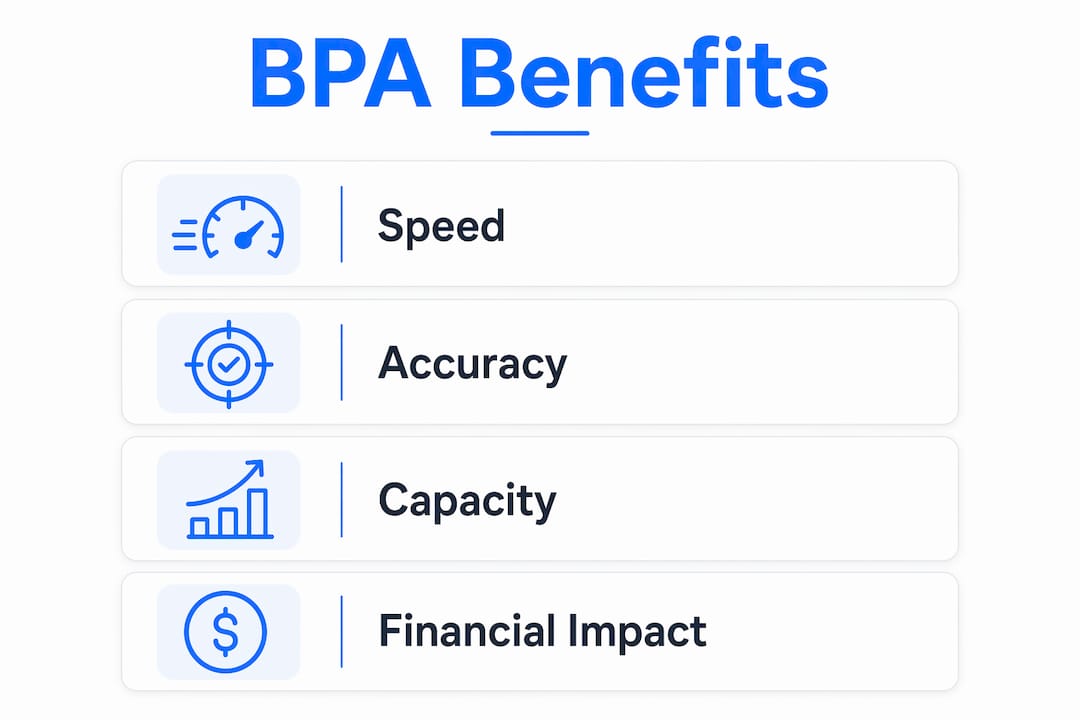
Accuracy: BPA standardizes workflows and eliminates human error. When a process follows the same rules every time, you stop losing data between steps and stop relying on individuals to remember what comes next.
Capacity: BPA enables volume growth without proportional headcount increases. You handle more customers, more invoices, and more support tickets without hiring a new person for each one. Your existing team gets reallocated to work that requires judgment, relationships, and creativity.
The financial case is straightforward. When your team spends less time on coordination and data entry, they spend more time on revenue-generating activity. The benefits of process automation are not theoretical. They show up in your payroll costs, your customer response times, and your ability to scale.
Pro Tip: Before you automate anything, write down the exact steps of the process as it runs today. You will almost always find steps that can be eliminated entirely before automation even enters the picture.
How does BPA differ from RPA and task automation?
Many managers confuse BPA with simpler forms of automation. The distinction matters because choosing the wrong approach wastes time and money.
RPA automates individual tasks by replicating user interactions, such as copying data from one screen to another. BPA orchestrates multiple processes and handoffs across systems with minimal human intervention. Think of RPA as a single worker doing one repetitive job. BPA is the manager coordinating the entire department.
Task automation sits below both. It handles single, isolated actions like scheduling a social media post or sending a triggered email. It does not connect systems or manage decisions.
Here is how the three compare:
| Feature | Task automation | RPA | BPA |
|---|---|---|---|
| Scope | Single action | Single task or UI interaction | End-to-end multi-step workflow |
| System integration | None or minimal | Limited | Broad, multi-system |
| Decision handling | No | No | Yes, rules and AI |
| Human-in-the-loop | No | Rarely | Yes, by design |
| Best for | Simple triggers | Repetitive UI tasks | Complex business processes |
BPA is the right choice when a process spans more than two systems, involves approvals or exceptions, or requires data to move between departments. If you are only automating one repetitive click, RPA or basic task automation is sufficient.
Pro Tip: Map your process first and count the number of systems involved. If the answer is three or more, you are looking at a BPA project, not a simple automation.
What technologies power business process automation?
BPA works by connecting your existing software through a combination of APIs, rule-based logic, and AI. You do not need to replace your current systems. BPA sits on top of them as an orchestration layer.
The core components of a working BPA system include:
- APIs and integrations: These connect your CRM, accounting software, HR platform, and other tools so data flows automatically between them without manual export and import.
- Rule-based triggers: Deterministic rules fire specific actions when conditions are met. An invoice approved over $5,000 automatically routes to the CFO. A new employee record triggers the IT provisioning workflow.
- Agentic AI steps: Effective BPA combines deterministic rules with AI-powered steps to handle ambiguity. AI can classify incoming support tickets, extract data from unstructured documents, or decide which escalation path fits a situation.
- Human-in-the-loop checkpoints: Exception handling and human approvals are built into robust BPA systems. When data is missing or a decision falls outside normal parameters, the system pauses and routes the task to a person rather than failing silently.
- Audit trails: Every automated action is logged. This creates the visibility you need to spot bottlenecks and prove compliance.
Popular process automation tools for SMEs include Zapier for lighter multi-step workflows, Tines for security and operations teams, and SAP Process Automation for businesses with more complex enterprise needs. The right tool depends on your existing software stack and the complexity of the processes you want to automate.
How can SMEs successfully implement business process automation?
Implementation is where most BPA projects succeed or fail. The technology is rarely the problem. The approach is.
Follow these steps to get it right:
- Map the process before you touch any software. Document every step, every person involved, and every system that touches the workflow. You cannot automate a process you do not fully understand.
- Simplify before you automate. Remove redundant steps, consolidate approvals, and fix broken handoffs first. Automating a flawed process just makes the flaws happen faster.
- Start with simple, rule-based tasks and scale gradually. Automate your most repetitive, highest-volume processes first. Invoice reminders, employee onboarding checklists, and data entry between systems are good starting points.
- Build in exception handling from day one. Decide what happens when the automation encounters missing data, an unusual approval amount, or a system error. Plan for human intervention at those points.
- Measure and improve. Automated workflows create digital audit trails that show you exactly where time is lost and where errors occur. Review this data monthly and adjust your rules accordingly.
The most common mistake SME owners make is trying to automate everything at once. Starting small builds confidence, surfaces problems early, and gives your team time to adapt. Small automation projects build skills before you take on complex, multi-system workflows.
Pro Tip: Assign one internal owner to every automation you build. That person is responsible for monitoring it, updating it when processes change, and flagging when it breaks. Ownerless automations quietly fail.
What are common business process automation examples for SMEs?
Seeing real use cases makes BPA concrete. Common BPA applications for SMEs include the following:
- Employee onboarding: A new hire record in your HR system triggers IT to provision accounts, sends the employee a welcome sequence, assigns training modules, and schedules a 30-day check-in, all without a single manual email.
- Invoice processing: Incoming invoices are automatically extracted, matched to purchase orders, routed for approval based on amount thresholds, and posted to your accounting system.
- Payroll processing: Time data from your scheduling tool flows into payroll automatically, flags discrepancies for review, and submits for processing on a fixed schedule.
- Customer support escalation: Support tickets are classified by urgency and topic, assigned to the right team member, and escalated automatically if no response occurs within a set window.
- Accounts receivable follow-up: Overdue invoices trigger a structured outreach sequence across email and SMS, with timing and messaging adjusted based on payment history.
Each of these examples shares the same structure: a trigger event, a set of rules or AI decisions, actions across multiple systems, and a human checkpoint for exceptions. That structure is what separates workflow automation from a simple reminder or a one-off script.
Key takeaways
Business process automation delivers the most value when it orchestrates entire workflows across multiple systems, not just individual tasks.
| Point | Details |
|---|---|
| BPA definition | BPA orchestrates end-to-end workflows across systems, reducing manual handoffs and errors. |
| Proven efficiency gains | Automating process handoffs cuts project cycle time by 33%, compounding across every workflow you run. |
| BPA vs. RPA | RPA handles single UI tasks; BPA manages multi-step, multi-system processes with decision logic built in. |
| Start simple | Begin with rule-based, repetitive tasks and scale gradually to build skills and avoid costly failures. |
| Exception handling matters | Every BPA system needs human-in-the-loop checkpoints to handle errors and unusual cases without breaking down. |
Why BPA is less about software and more about discipline
I have worked with dozens of SME owners who bought a process automation tool and then wondered why nothing changed six months later. The software was not the problem. The problem was that they automated chaos and got faster chaos.
The businesses that see real results from BPA share one trait: they treat automation as a discipline, not a purchase. They map their processes honestly, including the ugly parts. They fix what is broken before they automate it. They assign ownership to every workflow they build. And they review performance data regularly instead of assuming the system is working.
The other thing I have noticed is that the best BPA implementations always include a clear answer to the question: what happens when this breaks? Human-in-the-loop design is not a fallback. It is a feature. The teams that plan for exceptions from day one have far more stable systems than those who bolt on fixes after the first failure.
BPA is genuinely one of the highest-leverage investments an SME can make. But it rewards patience and process discipline more than it rewards budget or ambition. Start with one workflow, own it completely, and let the results make the case for the next one.
— Tyler
How Interval-ai automates your accounts receivable workflow
If accounts receivable follow-up is the process costing you the most time and cash flow, Interval-ai is built specifically for that problem.

Interval-ai uses a data-driven approach to automate outreach across email and SMS, adjusting timing and messaging based on each customer's payment history. The system manages the entire follow-up sequence without adding staff, and clients report reducing days to payment by over 30 days. You keep your brand voice, recover more revenue, and free your team from manual collection calls. Explore what Interval-ai can do for your cash flow and see how automated collections fits into your broader process automation strategy.
FAQ
What is business process automation in simple terms?
Business process automation is the use of software to run multi-step business workflows automatically, replacing manual coordination between people and systems. It covers everything from invoice approvals to employee onboarding.
How is BPA different from workflow automation?
Workflow automation typically refers to automating a single sequence of steps within one system. BPA is broader, connecting multiple systems and incorporating decision logic, AI, and human approvals across an entire end-to-end process.
What processes should SMEs automate first?
Start with rule-based, high-volume, repetitive tasks such as invoice reminders, data entry between systems, and employee onboarding checklists. These deliver fast results and build confidence for more complex projects.
Do I need to replace my existing software to implement BPA?
No. BPA works as an orchestration layer on top of your existing tools, connecting them through APIs and integrations rather than replacing them.
How long does it take to see results from BPA?
Most SMEs see measurable time savings within the first 30–60 days of automating a single high-volume process. Broader financial impact, such as reduced payroll costs and faster payment cycles, typically becomes visible within one quarter.
