
Why Administrative Tasks Slow Growth (And How to Fix It)
Published: August 8, 2026 · 10–11 min read
TL;DR:
- Administrative tasks drain staff capacity, delay decision-making, and slow cash flow, hindering growth. Automating high-frequency, rule-based AR workflows can reduce days-to-payment and reclaim staff time efficiently. Continuous governance and workflow redesign are essential for sustainable admin reduction and scaling success.
Administrative tasks act as a measurable growth tax on your business. Office workers lose an average of 5.6 hours per week to automatable admin work, resulting in an estimated annual cost of $17,000 per employee. For finance teams managing collections, that drain shows up in slower cash conversion, missed follow-ups, and a staff stretched too thin to think strategically.
The primary channels where admin drains occur:
- Invoicing and billing: manual invoice creation, late sends, and untracked disputes
- Collections follow-up: email chains, phone logs, and manual reminder scheduling
- Data entry: re-keying customer records between CRM and accounting platforms
- Reconciliations: spreadsheet-based matching that breaks under volume
- Reporting: manually pulling AR aging, DSO, and cash-flow summaries
- Compliance: tracking payment regulations and updating contact preferences by hand
Pro Tip: Block 30 minutes this week and ask each team member to log every admin task they touch for one full day. Tally the hours. That number, multiplied by your average hourly payroll cost, is your weekly growth tax.
How administrative tasks actually slow growth
Three mechanisms drive the impact of admin tasks on growth: capacity loss, decision delay, and cash-flow friction. Each one compounds the others.
When your finance manager spends two hours a day chasing overdue invoices by hand, those are two hours not spent analyzing AR trends, negotiating payment plans, or flagging at-risk accounts early. The work gets done, but the strategic layer goes unattended. Back-office complexity scales nonlinearly with headcount and customer volume, meaning the coordination tax grows faster than revenue as you add clients.
Admin doesn't announce itself as a growth problem. It just quietly caps how big you can get. Every new customer adds more invoicing, more follow-up, and more reconciliation. If those tasks depend on manual effort, growth increases the load faster than the business can absorb it.
Decision-making slows when data lives in disconnected systems. If your AR aging report requires pulling from three spreadsheets, you will review it less often and act on it later. Delayed decisions mean slower collections, higher days sales outstanding (DSO), and weaker cash flow. High-value staff absorbing admin work multiplies the real cost: a senior finance manager doing manual data entry is an expensive problem that rarely appears on a P&L.
Customer experience suffers too. A client who receives a late or incorrect invoice, or who waits days for a dispute response, loses confidence in your operation. That friction slows payment and sometimes accelerates churn.

How to quantify your administrative burden this week
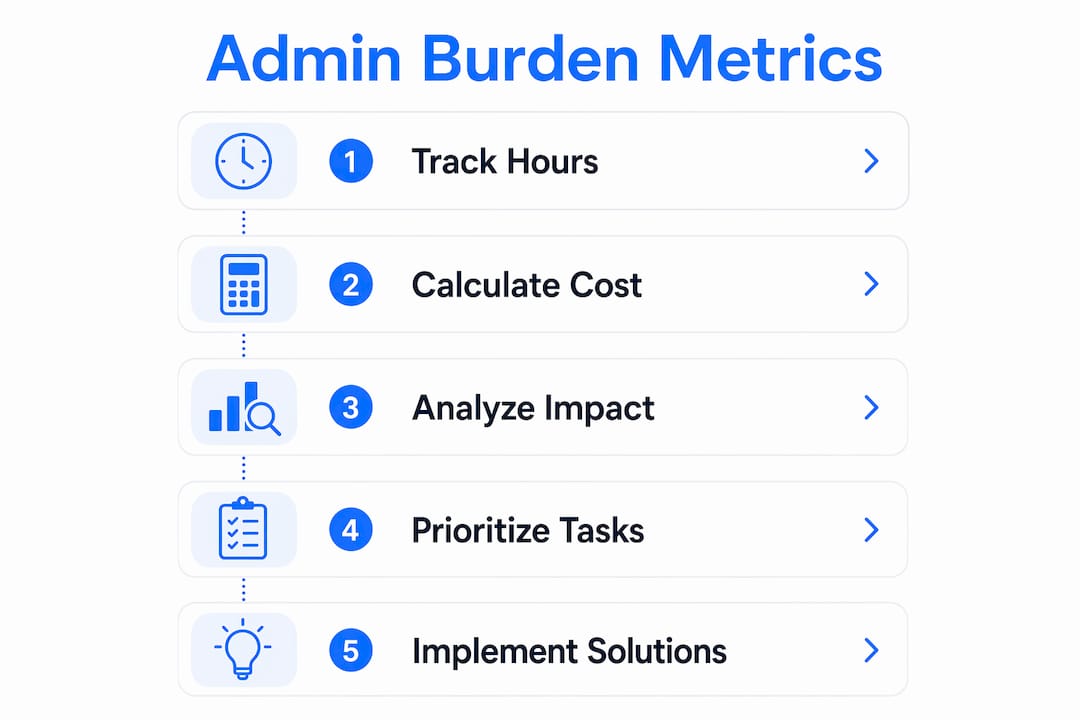
Track these five metrics to convert admin time into numbers leadership will act on.
| Metric | What to measure | How to calculate |
|---|---|---|
| Admin hours per role | Weekly hours on non-revenue tasks | Time log × 5 days |
| FTE-equivalent | Capacity consumed by admin | Total admin hours ÷ 40 |
| DSO change | Days to collect payment | (AR balance ÷ revenue) × days in period |
| Payroll cost of admin | Dollar cost of admin time | Admin hours × hourly fully-loaded rate |
| Time-to-first-reply | Speed of dispute or query response | Log first-response timestamps for 7 days |
Two quick calculations:
A finance team spending 5.6 hours per week per person on admin accumulates a sizeable workload—saving those hours across a 100-person team unlocks capacity equivalent to roughly 12 full-time employees.
Pro Tip: Run a 7-day time log using your existing tools. Most CRMs and email platforms have activity reports. Export them, tag tasks as admin or strategic, and you have a baseline in under an hour.
Why admin problems keep coming back
Root causes are design and governance failures, not effort failures. Your team is not lazy; the system is built in a way that manufactures admin.
Common structural causes in AR and collections workflows:
- Duplicate data entry: customer records updated in the CRM but not in the accounting platform, requiring manual reconciliation
- Email-based approvals: dispute resolutions that live in someone's inbox with no audit trail
- Spreadsheet workarounds: AR aging tracked in Excel because the accounting system's report is too slow or inflexible
- No clear owner: reconciliation tasks that "everyone" is responsible for, meaning no one is
- Human API work: staff manually copying data between systems that should be integrated
Admin often becomes a permanent workaround. Spreadsheets and manual handoffs that start as temporary fixes scale poorly and create fragile single-person dependencies. When that person leaves, the process collapses.
Constant firefighting creates what one observer calls "idea deserts": environments where leaders spend their days triaging instead of executing growth initiatives. These root causes scale nonlinearly. A team of five can absorb the friction. A team of 25 cannot.
Practical fixes: short-term wins and operating-model changes
The most effective approach combines quick automations with a longer-term redesign of how data flows through your business. The principle: capture authoritative data once and let it flow automatically everywhere else.
Immediate wins for collections and AR teams:
- Set up automated payment reminders at 7, 3, and 1 day before due dates
- Create a dispute intake form that routes to a shared queue, not an individual inbox
- Add payment links directly to invoices and reminder emails
- Build an email triage rule that flags overdue accounts for daily review
- Connect your accounting platform to your CRM so customer status updates automatically
| Task | Effort | ROI |
|---|---|---|
| Automated payment reminders | Low | High |
| Dispute intake form | Low | Medium |
| Payment link automation | Low | High |
| CRM-accounting integration | Medium | High |
| Automated AR aging report | Medium | Medium |
| Reconciliation workflow redesign | High | High |
Pro Tip: Before you automate anything, redesign the workflow first. Automating a broken process just produces broken results faster. Map the steps, remove the redundant ones, then automate what remains.
How Interval-ai reduces AR admin and improves cash flow
Interval-ai directly addresses the human-API and cash-flow problems described above. The platform automates outreach across multiple channels, manages disputes, updates payment methods, and tracks overdue accounts in real time, all while integrating with your existing accounting and CRM systems.
Before Interval-ai:
- Finance staff manually send follow-up emails and log responses
- Disputes arrive by email with no structured intake or tracking
- AR aging requires manual report pulls
- Days to payment stretch well beyond terms
After Interval-ai:
- Outreach is automated and tailored to each customer's payment history
- Disputes are captured, routed, and tracked without inbox management
- AR data flows in real time to your accounting platform
- Interval-ai clients report reducing days-to-payment by over 30 days and recovering significant AR without adding headcount
The integration layer is where the real admin reduction happens. When Interval-ai connects to your accounting system, it eliminates the manual data shuttle between collections activity and financial records. Staff capacity previously spent on follow-up and reconciliation returns to strategic work.
Which admin processes should you automate first?
Prioritize processes with high frequency, clear rules, measurable cash impact, and low exception rates. Score each candidate on four dimensions (1–3 points each, 12 points maximum):
- Frequency: How often does this task occur? (1 = monthly, 2 = weekly, 3 = daily)
- Cash impact: Does it directly affect collections or payment speed? (1 = indirect, 2 = moderate, 3 = direct)
- Complexity: How rule-based is it? (1 = high judgment, 2 = mixed, 3 = fully rule-based)
- Exception rate: How often does it require human intervention? (1 = often, 2 = sometimes, 3 = rarely)
Example ranking for AR tasks:
| Task | Frequency | Cash impact | Complexity | Exception rate | Total |
|---|---|---|---|---|---|
| Invoice reminders | 3 | 3 | 3 | 3 | 12 |
| Payment method updates | 3 | 3 | 3 | 2 | 11 |
| Dispute intake | 2 | 2 | 3 | 2 | 9 |
| Reconciliation | 2 | 2 | 2 | 2 | 8 |
Invoice reminders score highest because they are daily, directly tied to cash collection, fully rule-based, and rarely require judgment. Start there.
A short playbook: audit, pilot, measure, scale
Audit your current admin load, design a narrow pilot, measure results against clear criteria, then scale with governance. That four-step sequence prevents the common failure of rolling out automation before the process is understood.
Playbook milestones:
- Week 1: Complete the time-log audit. Identify the top two admin processes by score.
- Week 2: Document the current workflow for each. Assign a single owner.
- Week 3: Launch a pilot on the highest-scoring process with one team or account segment.
- Day 30: Measure DSO change, hours saved, and exception rate. Compare to baseline.
- Day 45: Roll out to full team or stop and redesign based on results.
For finance teams scaling operations, workflow design principles from financial services firms offer a useful parallel: standardize the process before adding tools, and assign clear ownership at every handoff point.
| Milestone | KPI to track | Accept/stop threshold |
|---|---|---|
| Pilot kickoff | Baseline admin hours logged | Baseline established |
| Integration test | Data sync error rate | Under 2% errors |
| 30-day measurement | DSO change, hours saved | Positive trend on both |
| Roll/stop decision | Exception rate, staff feedback | Exception rate stable or falling |
Common mistakes when automating admin and collections
The most costly mistake is automating a broken process. The second most costly is skipping integration and creating a new data silo.
Red flags to watch during pilots:
- Exception rates rising after automation goes live (the process had hidden complexity)
- CRM and accounting records diverging after integration (the sync is incomplete)
- Customer complaints increasing about communication timing or tone
- Staff creating new spreadsheets to manage automation outputs (a new workaround)
- No single owner for the automated process when exceptions occur
Automating a broken process just produces broken results faster. Document the flow, assign a clear owner, remove single-person dependencies, then automate. Skipping any of those steps reintroduces the admin you were trying to eliminate.
For AR automation specifically, compliance guardrails matter. Automated outreach must respect opt-out preferences, communication frequency limits, and payment regulation requirements. Build those rules into the automation logic before launch, not after a complaint.
Key Takeaways
Administrative tasks are a measurable growth tax: quantify the burden in FTE-equivalents and DSO impact, prioritize high-frequency AR workflows for automation, and measure results within 30 days.
| Point | Details |
|---|---|
| Quantify admin first | Track weekly admin hours per role and convert to FTE-equivalents before choosing any tool. |
| Target AR workflows | Invoice reminders and payment method updates score highest on the ROI rubric and deliver fast cash-flow results. |
| Redesign before automating | Map and clean the workflow before adding automation, or you will scale the broken process. |
| Measure DSO change | Track days-to-payment as your primary cash-flow metric during and after any pilot. |
| Interval-ai for collections | Interval-ai automates outreach, dispute intake, and payment tracking, with clients reporting over 30 days reduction in days-to-payment. |
The part most teams skip
The teams that sustain admin reduction gains are the ones that treat it as an ongoing governance habit, not a one-time project. The psychological barriers are real: multitasking feels productive, and the "hero" who handles everything manually gets praised rather than questioned. Both patterns rebuild admin debt faster than any automation can clear it.
A practical counter-habit is a weekly 15-minute admin retro. Ask your team: what did we do manually this week that a rule or a system could have handled? Log the answers. That list becomes your next automation backlog. Pair it with the implementation playbook above and you have a continuous improvement cycle that compounds over time.
Interval-ai cuts collections admin and gets you paid faster
Recovering overdue payments without adding headcount is the clearest ROI case for AI-powered collections. Interval-ai automates the entire follow-up sequence, from first reminder to dispute resolution to payment confirmation, while connecting directly to your accounting and CRM systems so no one on your team is manually shuttling data.

Clients using Interval-ai report reducing days-to-payment by over 30 days and reclaiming staff capacity previously consumed by manual outreach. The platform handles multilingual communication, adapts outreach to each customer's payment history, and keeps your brand voice consistent across every touchpoint. For finance teams focused on scaling, that combination of automation and integration removes the back-office ceiling that manual collections creates.
See how it works for your AR volume. Book a demo with Interval-ai and get a clear picture of the capacity and cash-flow gains available to your team.
FAQ
Why do administrative tasks slow business growth?
Admin tasks consume staff capacity that would otherwise go to revenue-generating work, delay decisions by keeping data fragmented, and slow cash collection by introducing manual steps into invoicing and follow-up workflows.
How do I calculate the cost of admin work in my business?
Multiply 5.6 weekly admin hours per employee by your fully-loaded hourly payroll rate, then annualize. This calculation estimates the annual payroll cost of admin time at around $17,000 per employee.
Which AR tasks should I automate first?
Invoice payment reminders score highest on frequency, cash impact, and rule-based simplicity. Payment method updates rank second. Both deliver fast, measurable reductions in days-to-payment with low implementation complexity.
How does Interval-ai reduce admin in collections?
Interval-ai automates outreach, dispute intake, and payment tracking across channels, integrating with your accounting and CRM systems to eliminate manual data entry. Clients report reducing days-to-payment by over 30 days without adding staff.
What is the biggest mistake when automating admin processes?
Automating a broken process before redesigning it. Map and clean the workflow first, assign a clear owner, then automate. Skipping that step produces faster errors, not faster results.
